


- Secure AES-256 encryption
- Zero-knowledge privacy model
- Team-friendly password sharing
- Easy on/off-boarding users
- Affordable per-user pricing

Businesses today face growing threats to data security, with passwords often being the weakest link. Managing a multitude of passwords across different platforms can be a logistical nightmare and a security risk. Traditional methods, such as spreadsheets, are inefficient and highly insecure. That’s where Passpack comes into play – a sophisticated password management solution that simplifies and secures password sharing across teams. By leveraging Passpack, businesses can confidently secure and manage their passwords while enhancing collaboration.

What is Passpack?
Passpack is a cloud-based password management tool tailored to meet the needs of both individuals and businesses. It is designed with a strong emphasis on security, usability, and scalability. Passpack is ideal for organizations looking to streamline their password management processes while keeping security at the forefront. The platform offers robust security features like AES-256 encryption and two-factor authentication, all wrapped up in a user-friendly interface.
Key Features of Passpack
1. End-to-End Encryption & Zero Knowledge Security
- AES-256 Encryption: Passpack employs military-grade encryption to secure data. This ensures that all passwords and sensitive information are encrypted on the user’s device before they reach Passpack servers.
- Zero-Knowledge Architecture: Passpack zero-knowledge model guarantees that only you have access to your data. This means even Passpack own team cannot access your stored credentials, as only users have the necessary encryption keys.
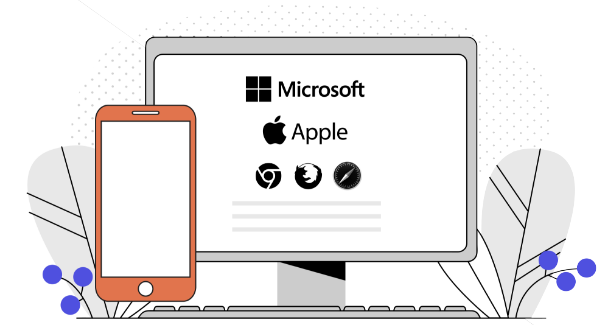
2. Platform Agnostic and Device Synchronization
- Cross-Platform Compatibility: Accessible from any web browser, Passpack syncs seamlessly across devices, making it ideal for teams that need flexibility in where and how they access their passwords.
- Unlimited Storage: With Passpack, users can store unlimited passwords and private notes, creating an organized, centralized location for all credentials.
- Unlimited Teams: You can create as many teams as needed, organizing and granting permissions based on roles or departments. This feature makes it easy for businesses of all sizes to manage password sharing within their team structures.

3. Secure Password Sharing and Permissions Management
- Encrypted Sharing: Passpack allows secure sharing of passwords with individual team members or entire teams, ensuring only authorized individuals can access sensitive information.
- Granular Permissions: Set specific permissions for each team, and easily manage access rights to maintain security and compliance.
- Transfer of Ownership: Passpack facilitates easy transfer of password ownership, allowing smooth transitions during team changes or employee turnover.

4. Emergency Access Codes & Real-Time Updates
- Emergency Access Codes: Designate trusted contacts who can access your account in critical situations, ensuring data is never inaccessible during an emergency.
- Real-Time Synchronization: When passwords are updated, the changes are instantly reflected for the entire team. This is crucial for businesses that require constant access to the most up-to-date information.

5. Two-Factor Authentication and Single Sign-On (SSO)
- Two-Factor Authentication: Enhance security with two-factor authentication using options such as Google Authenticator, Microsoft Authenticator, or YubiKey.
- Single Sign-On (SSO): Passpack SSO support allows users to log in with a single set of credentials, simplifying access while maintaining a high level of security.

Security at the Core of Passpack
Passpack commitment to security goes beyond standard encryption. All user metadata, such as URLs and email addresses, are also encrypted using AES-256, adding an additional layer of protection. In the unlikely event of a security breach, all data remains unusable without the unique Packing Key known only to the user. This knowledge-based key protects accounts against potential threats even if a device or server is compromised.

Passpack Team Password Manager: Secure Solutions for Every User
Passpack’s Team Password Manager offers robust features tailored for a variety of users:
For Businesses
Securing shared access is essential for collaboration, especially among remote teams. Passpack enables businesses to safeguard passwords, PINs, and registration codes in one centralized, encrypted repository. Ideal for small to medium-sized teams, Passpack supports platform-agnostic, organization-wide password management that’s both secure and cost-effective.
For Contractors & Freelancers
Working on multiple projects and with different clients can mean managing an overwhelming number of passwords. Passpack allows contractors to organize project-based credentials, making it easy to onboard and offboard quickly, keeping your client data protected and accessible only by those who need it.
For Families
Families juggle passwords for streaming services, banking, and online subscriptions. Passpack provides a secure way to store and share login credentials with trusted family members, making sure that everyone has access to what they need without compromising security. No more forgotten passwords or shared accounts going untracked.
With Passpack’s zero-knowledge model, everything is encrypted on your end before it reaches Passpack’s servers. Whether you’re managing passwords for a team, a client, or your family, Passpack ensures your information is safe, organized, and accessible to those who need it.
Get Started with Passpack and explore secure, seamless password management today!

Industries That Trust Passpack for Secure Password Management
Passpack is proud to work with a wide variety of industries, all of which need reliable and secure password management to keep their data safe. From financial services firms managing sensitive client data to software development companies working with complex project credentials, Passpack provides robust security and easy access management tailored to diverse needs.
Here’s a look at just some of the markets Passpack serves:
- Financial Services: Securely manage client data, regulatory compliance, and sensitive transactions.
- Engineering & Design: Organize and protect access to design software and tools.
- Software Development: Manage credentials across multiple projects and client accounts, ideal for freelancers and agencies.
- Marketing & Media: Centralize access to various platforms, tools, and client accounts.
- Real Estate: Protect client and property data in a highly mobile industry.
- Educational Services: Keep academic resources secure, perfect for both K-12 and higher education.
- Healthcare & Health Services: Maintain compliance with secure access to patient and treatment information.
- IT & Tech Services: Efficiently manage team access to tech tools, servers, and software.
- Human Resources: Store sensitive employee and applicant data securely.
- Charities & Non-Profits: Simplify management of donor, volunteer, and team information.
With Passpack, these organizations are better equipped to manage and protect their credentials, fostering secure and efficient work environments. If you’re looking to strengthen your company’s first line of defense, try Passpack with a free trial and discover how it can enhance your security and productivity!
Passpack Pricing Overview: Affordable and Flexible
Passpack’s pricing model is designed with affordability and flexibility in mind, offering several plans to meet the specific needs of individuals, small teams, and large businesses. Pricing tiers are built around the features you need and the size of your team, so you pay only for what suits your organization best.
With Passpack’s scalable pricing, businesses can start small and add users or features as they grow, making it a cost-effective solution for any budget.
To explore Passpack pricing plans and find the one that fits your needs, click here.

Try Passpack Free for 28 Days
Ready to experience Passpack power? Start your free 28-day trial today and explore how Passpack advanced security features, seamless password sharing, and intuitive management tools can transform the way your team manages passwords. The free trial is a great way to see firsthand the benefits Passpack brings to businesses across various industries.
Pros and Cons of Passpack
Pros:
- Strong encryption security
- Easy team password sharing
- Real-time sync updates
- Unlimited storage for passwords
- Cross-platform compatibility
Cons:
- Limited offline access
- Interface may feel complex
| Feature | Passpack | LastPass | 1Password | Dashlane |
|---|---|---|---|---|
| Zero-Knowledge Security | ✅ Full, end-to-end encryption | ❌ Limited Zero-Knowledge | ✅ Zero-Knowledge | ❌ No |
| Unlimited Teams | ✅ Teams with permissions | ❌ Limited sharing | ❌ Limited sharing | ❌ Limited sharing |
| Emergency Access | ✅ Emergency access codes | ❌ No | ❌ No | ❌ No |
| Platform-Agnostic Access | ✅ Browser & devices | ❌ Restricted to devices | ❌ Restricted to devices | ❌ Restricted to devices |
| Ownership Transfer | ✅ Secure transfer option | ❌ No | ❌ No | ❌ No |
Why Choose Passpack as Your Password Management Solution?
In a world where password security is paramount, Passpack stands out as a top choice for businesses and teams needing reliable, user-friendly password management. Here’s why you should consider using Passpack:
- Advanced Security: With AES-256 encryption and a zero-knowledge security model, Passpack ensures that only you have access to your data, making it a highly secure option for sensitive information.
- Enhanced Team Collaboration: Passpack’s unlimited teams and secure password sharing features make it easy to manage access across departments. You can control who has access to what, and enjoy real-time updates when passwords change, ensuring your team is always on the same page.
- Platform Flexibility: Access Passpack from any browser, and sync it across multiple devices for seamless password management on the go. This platform-agnostic design means you’re not limited to specific devices, making it ideal for remote and distributed teams.
- Emergency & Ownership Features: Passpack includes emergency access codes and ownership transfer capabilities, adding layers of control in urgent situations or team transitions, minimizing potential security risks.
Whether you’re a small business, a large enterprise, or even a freelance professional, Passpack provides the tools you need to secure, share, and manage your passwords effectively. Start today and experience password management that’s both secure and scalable.

FAQs About Passpack
Passpack is a cloud-based password manager designed for teams and businesses. It offers secure password storage, sharing, and collaboration, with end-to-end encryption to protect user data.
Passpack uses AES-256 encryption and a zero-knowledge security model, ensuring only users have access to their data. It also offers two-factor authentication and emergency access codes for added security.
Yes, Passpack is accessible from any browser and synchronizes across all devices, making it easy to manage passwords on the go.
Yes, Passpack is accessible from any browser and synchronizes across all devices, making it easy to manage passwords on the go.
Passpack offers a 28-day free trial, allowing you to explore its features and decide if it meets your team’s needs.
Yes, Passpack is designed for team use, with features for unlimited teams, encrypted password sharing, and granular permissions to control access.
The Packing Key is a unique, user-defined encryption key used to unlock and access your data within Passpack. Only you know this key, adding an extra layer of security.
Passwords can be securely shared between team members or groups within Passpack. It supports encrypted sharing, which ensures that only authorized users can access the shared data.
Yes, you can set up emergency access codes to allow trusted contacts access to your Passpack account in case of an emergency.
- Secure AES-256 encryption
- Zero-knowledge privacy model
- Team-friendly password sharing
- Easy on/off-boarding users
- Affordable per-user pricing
Get Started with Passpack Today
Whether you’re an accountant, insurance broker, IT professional, or educator, Passpack can simplify and secure your password management process. Join the growing number of businesses using Passpack to protect their digital assets. Get started now and unlock a new level of password security and team collaboration.
Passpack offers the perfect balance of security, scalability, and ease-of-use to help your organization stay secure in an increasingly connected world. Don’t wait—take the first step towards more secure password management today!


