



- End-to-end encrypted vaults
- Secure password sharing
- Dark web monitoring alerts
- Multi-device access support
- Two-factor authentication setup

In today’s digital landscape, password security is more essential than ever. 1Password is a top-rated password manager that provides a powerful and user-friendly solution for individuals, families, and businesses alike. With advanced features like encrypted password vaults, cross-platform compatibility, and Single Sign-On (SSO) for enterprises, 1Password simplifies digital security and offers peace of mind. Whether you need to protect personal accounts or manage team access across an organization, 1Password delivers an all-in-one solution that combines security with ease of use.
What is 1Password?
1Password is a secure, user-friendly password management tool designed for individuals, families, and businesses. It offers comprehensive security features such as encrypted password storage, password generation, and dark web monitoring. For businesses, it includes Extended Access Management to control access and streamline security with features like Single Sign-On (SSO), advanced access policies, and insights into app usage. By centralizing password and access management, 1Password reduces risk and ensures both personal and professional data are protected.
1Password Products
1Password Extended Access Management (XAM)
1Password’s Extended Access Management (XAM) provides comprehensive security for hybrid work environments by securing access to all applications on any device. Key features include Universal Sign-On (USO) for seamless login experiences, Contextual Access Policies that grant access based on real-time signals, Device Trust for managing security on personal and corporate devices, and Application Insights for visibility into sanctioned and unsanctioned apps.
For a deeper look at 1Password XAM, visit the 1Password XAM page.

1Password Enterprise Password Manager
The Enterprise Password Manager by 1Password is a secure solution tailored for large organizations, offering robust password management and advanced features like granular access controls, automated user provisioning, and real-time monitoring of security risks. It integrates seamlessly with existing security tools (e.g., SSO providers, SIEM tools) and provides dashboards to track password health, potential data breaches, and compliance.
For more details, visit the Enterprise Password Manager page.

1Password Personal Password Manager
The Personal & Family Password Manager by 1Password makes storing and managing credentials easy for individuals and families. Key features include a built-in password generator, automatic autofill for login credentials, and the ability to store information like credit cards and addresses. It’s accessible across devices, including mobile, desktop, and browser extensions. Users can also share vaults securely with family members or create expiring links for specific items.
For complete details, check out the Personal Password Manager page.

1Password Features
1Password is packed with features designed to enhance security and simplify your digital life, whether for personal use, family, or business.
1. Password Generator
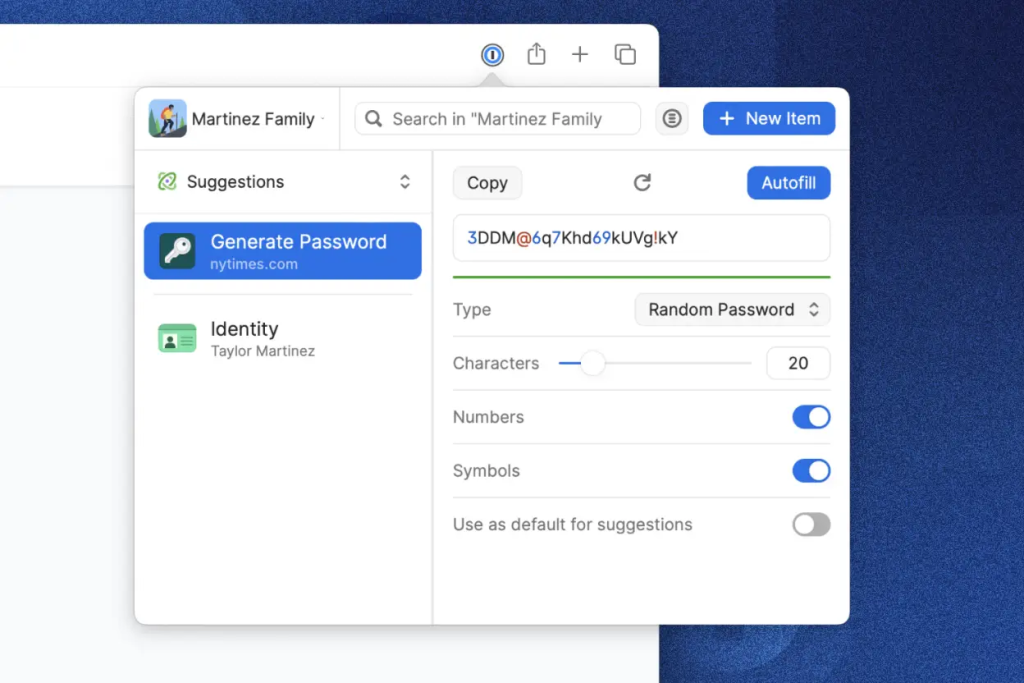
1Password includes a built-in password generator that creates strong, unique passwords for each account. These complex passwords are stored securely, so you don’t need to remember them. Whenever you sign up for a new account or update an existing password, 1Password suggests and saves a secure password, making it easy to protect your online identity without the hassle of thinking up passwords yourself.
2. 1Password Username Generator
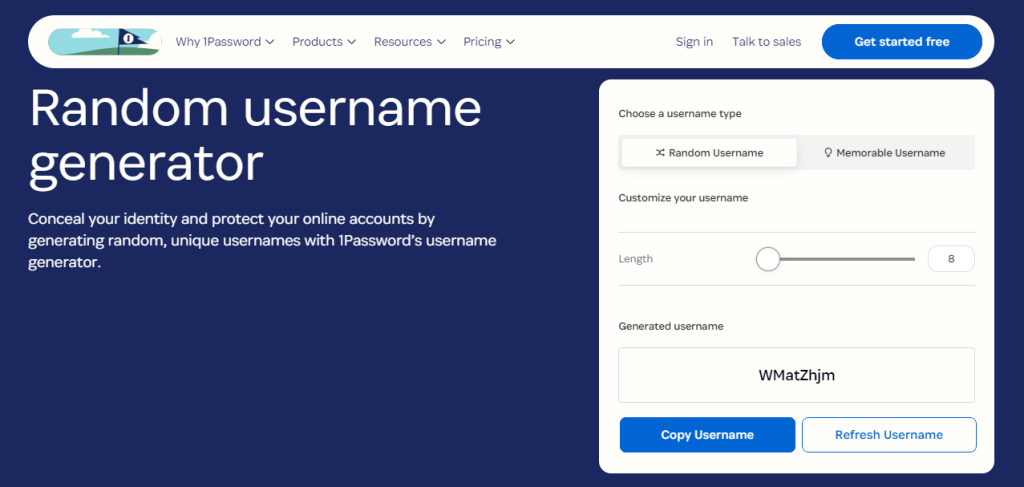
1Password’s Username Generator helps protect your online identity by creating unique, random usernames for each account. You can choose between completely random character combinations or memorable phrases, customizing length and complexity to suit your needs. By using unique usernames alongside strong passwords, you add an extra layer of security against cyber threats and reduce the impact of data breaches.
3. Password Vaults
Vaults are the backbone of 1Password’s security. These are fully encrypted, digital containers where users can store sensitive information, such as login credentials, secure notes, and financial details. You can create, name, and organize multiple vaults based on personal, family, or team needs, giving each vault its unique access permissions. This feature ensures that every user can keep private data completely secure while maintaining organized storage across all devices.
4. Password Sharing
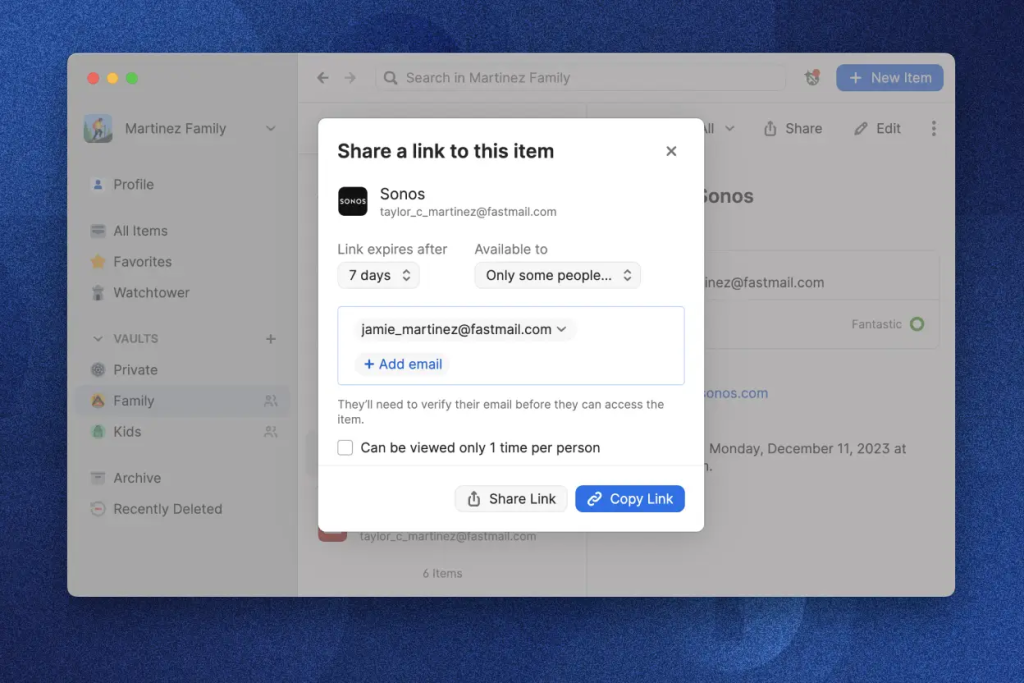
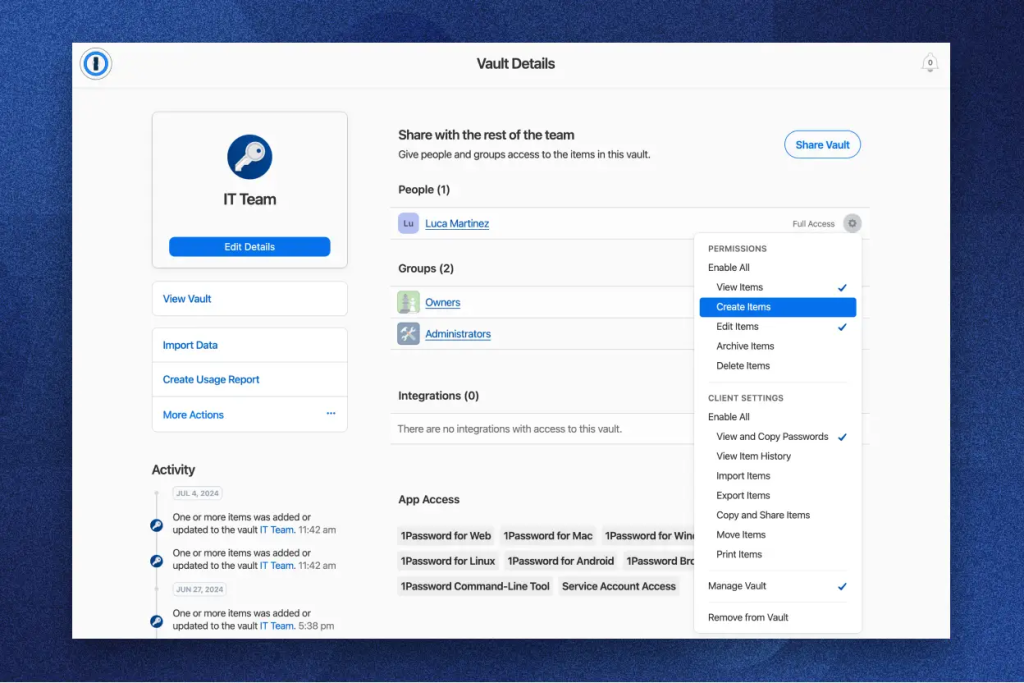
For families or teams, sharing credentials is sometimes necessary. 1Password offers safe password sharing through vault permissions, allowing selected individuals to access specific vaults. Additionally, you can share individual items with anyone, even if they don’t use 1Password, by creating expiring links. This controlled sharing ensures that sensitive information stays protected while enabling seamless collaboration.
5. SSO Unlock
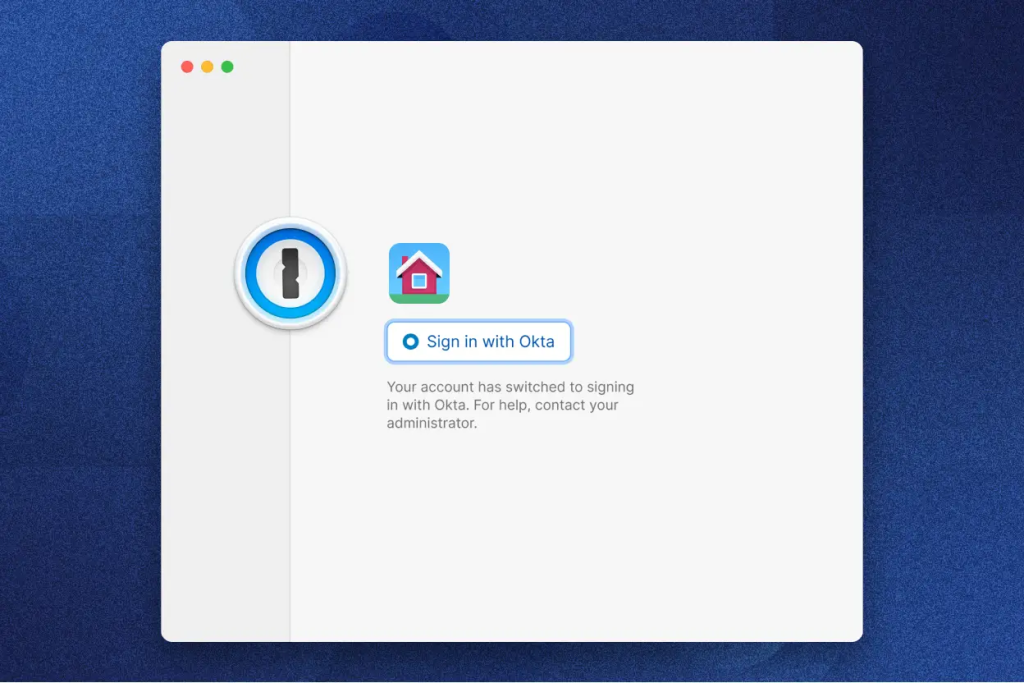
In business environments, security is key, but so is simplicity. 1Password integrates with Single Sign-On (SSO) providers, letting employees log into 1Password with their SSO credentials rather than an additional password. This not only streamlines access but also improves security by centralizing login through trusted identity providers like Okta and Azure AD.
6. Access Management
1Password’s access management tools allow businesses to assign and monitor access across various vaults. With Extended Access Management (XAM), companies can set policies based on roles and responsibilities, ensuring that employees only access information necessary for their tasks. This way, 1Password helps reduce the risks associated with overexposed sensitive data.
7. Watchtower
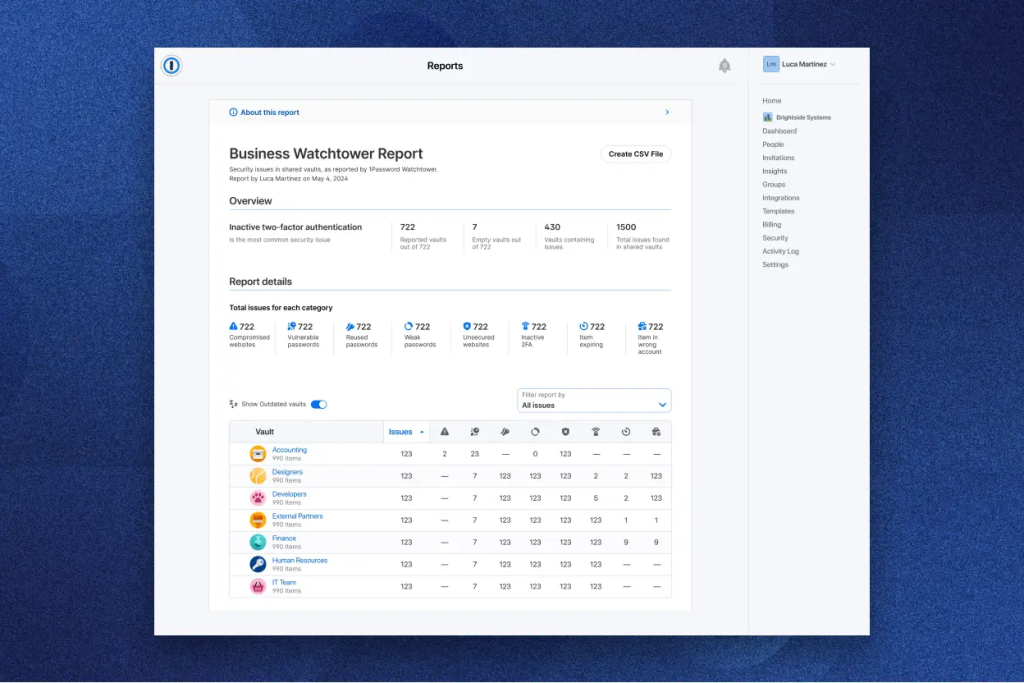
The Watchtower feature actively monitors stored credentials for vulnerabilities such as weak, reused, or breached passwords. Administrators have a comprehensive dashboard to monitor and manage the security health of their entire team, while individual users receive notifications to improve password security. Watchtower also integrates with Have I Been Pwned to alert you if any saved passwords have been compromised in data breaches.
8. Custom Policies
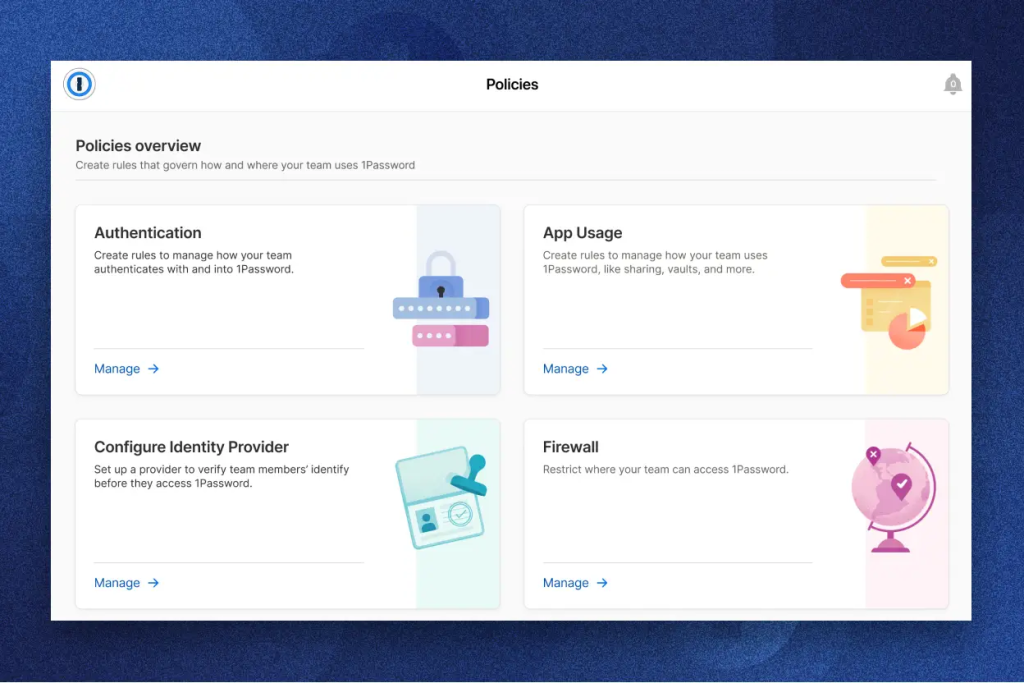
Every organization has unique security needs, and 1Password accommodates this through customizable policies. Businesses can establish guidelines regarding authentication methods, app usage, and identity provider integrations. This flexibility helps tailor security practices to align with a company’s specific requirements, ensuring that every user follows appropriate guidelines.
9. Autofill for Everything
While 1Password’s autofill functionality is commonly used for passwords, it extends beyond that to fill other important information, like addresses, credit cards, and even two-factor authentication (2FA) codes. Available across devices and browsers, this feature makes it effortless to sign in, complete purchases, and verify accounts, all from within 1Password.
10. Passkeys
With a shift towards a passwordless future, 1Password offers support for passkeys. These cryptographic keys allow you to securely sign in to websites and apps that support passkeys, providing faster and safer authentication without passwords.
11. Two-Factor Authentication (2FA)
For added protection, 1Password enables users to store and autofill 2FA codes, eliminating the need for a separate authenticator app. This functionality not only enhances security for all your accounts but also makes the process seamless, as codes are available directly within 1Password.
12. Secure Storage for Financial Information and Addresses
Beyond passwords, 1Password lets you store a variety of sensitive information, including payment methods, bank account details, and home or work addresses. When making online purchases or completing forms, 1Password can autofill this information, saving time and protecting your data.
13. Secure Notes
For anything that doesn’t fall into predefined categories, like travel plans or insurance information, secure notes provide a flexible solution. These notes are encrypted and can store a wide range of sensitive information, accessible only by you or those you designate.
14. Developer Tools
1Password supports developers with tools for storing and managing SSH keys, API tokens, and other development-related secrets. Through the 1Password CLI (Command-Line Interface), developers can securely access these secrets, allowing for more efficient and safe workflows without exposing sensitive information in plain text.
15. Secrets Management
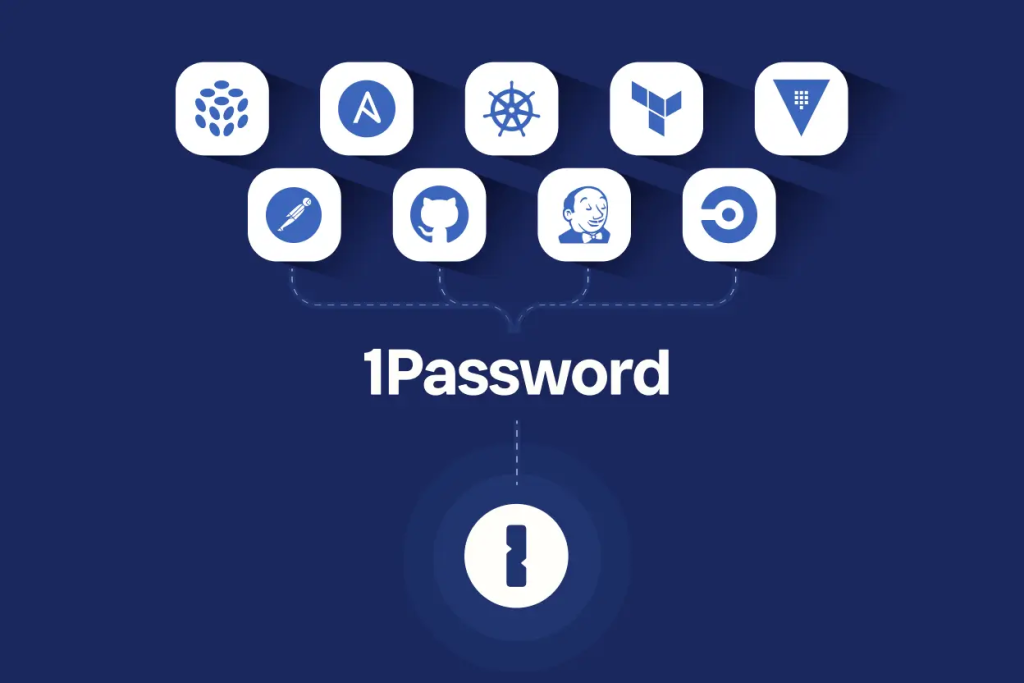
For businesses managing software infrastructure, 1Password’s secrets management capabilities allow teams to secure API keys, environment variables, and other sensitive information across the development lifecycle. Integrating with platforms like GitHub, Jenkins, and Terraform, it helps keep development workflows secure and compliant.
Security for Everyone with 1Password
1Password offers tailored security solutions for a wide range of users:
- Business: Protects teams with secure password storage, sharing, and access controls.
- Enterprise: Advanced features like Single Sign-On (SSO) integration, compliance tools, and customizable policies.
- Developers: Secure storage for SSH keys, API tokens, and secrets management to enhance workflow security.
- Personal: Features like password generation, autofill, and secure vaults for individuals and families seeking easy yet strong protection.
Learn more about 1Password’s comprehensive security options here.
From enterprises to individuals, 1Password has a plan for you
Whether you’re an individual looking for robust password security or an enterprise seeking extensive access management, 1Password has a plan to suit your needs. Enjoy flexible billing options with monthly or annual plans, and get started with a 14-day free trial to explore all the features. Secure your data in your region’s currency, and choose a plan that fits seamlessly into your life or business.
Click here to explore 1Password’s pricing and plans.
1Password vs. Competitors
| Feature | 1Password | LastPass | Bitwarden | Keeper |
|---|---|---|---|---|
| Encryption | AES 256-bit with dual-layer (password + secret key) | AES 256-bit | AES 256-bit | AES 256-bit |
| Single Sign-On (SSO) | Available | Limited* | No | Available |
| Password Sharing | Yes | Yes | Yes | Yes |
| Cross-Platform Support | All major OS + browsers | All major OS + browsers | All major OS + browsers | All major OS + browsers |
| Business Onboarding Support | Available (75+ users) | Limited | No | Available |
| Watchtower (security monitoring) | Yes | No | No | No |
| Developer Tools | Extensive (CLI, SSH, API) | Limited | CLI only | No |
| Customer Support | Email, forum, social | Email, forum | Phone, chat |
Why Choose 1Password?
1Password stands out for its unparalleled security and user-friendly features. It offers end-to-end encryption, ensuring only you can access your information. With features like Watchtower for monitoring compromised passwords, Single Sign-On (SSO) for business convenience, and seamless cross-platform support, 1Password makes digital security effortless. Whether you’re an individual, family, or business, 1Password provides a comprehensive solution that balances security, convenience, and control over your digital life.
FAQs about 1Password:
1Password is a password manager that securely stores and manages your passwords and sensitive information. It uses AES-256 encryption, so only you can access your data.
Yes, 1Password employs end-to-end encryption and a zero-knowledge architecture, meaning that even 1Password cannot see your data.
Yes, 1Password is available on various platforms, including Windows, macOS, iOS, Android, and all major browsers.
Watchtower monitors your passwords for weaknesses, reused or compromised passwords, and alerts you to potential vulnerabilities.
Yes, 1Password supports 2FA codes for enhanced security on your accounts. You can store and autofill these codes directly from 1Password.
Yes, you can create shared vaults for family members or team members and set specific permissions for access.
1Password offers a 14-day free trial for new users to explore its features and decide which plan best suits their needs.
- End-to-end encrypted vaults
- Secure password sharing
- Dark web monitoring alerts
- Multi-device access support
- Two-factor authentication setup
Choosing 1Password means investing in a reliable, comprehensive security tool that adapts to your needs. From password generation and secure sharing to business-focused features like Watchtower and Extended Access Management, 1Password stands out as a leading choice. Its commitment to top-tier security, seamless integrations, and user-focused design makes it a valuable asset for anyone looking to secure their digital identity. Protect what matters most with 1Password and experience the confidence of knowing your data is safe and accessible whenever you need it.


