- Stream To 30+ Platforms
- Browser-Based Streaming Studio
- Unified Chat System
- Pre-Recorded Video Streaming
- Real-Time Stream Analytics

Are you a content creator looking to maximize your reach and engagement across multiple streaming platforms? Look no further than Restream, the game-changing solution that’s revolutionizing the way creators broadcast their content. In this comprehensive review, we’ll dive deep into Restream features, benefits, and how it stacks up against the competition.
What is Restream?
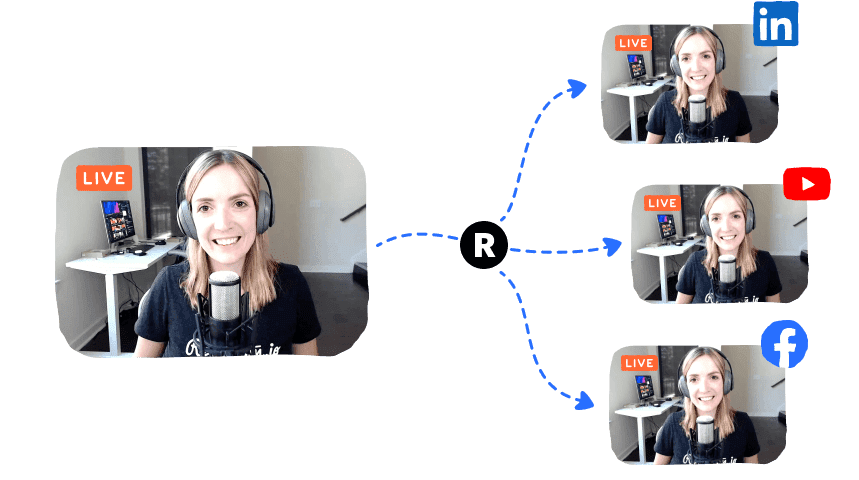
Restream is a powerful multi-streaming platform that allows content creators to simultaneously broadcast their live streams to over 30 destinations, including YouTube, Twitch, Facebook, LinkedIn, and many more. With its user-friendly interface and robust features, Restream has quickly become a go-to tool for streamers, businesses, and content creators of all sizes, serving over 8 million users and reaching 60 billion viewers.

Products & Key Features of Restream
1. Restream Studio:
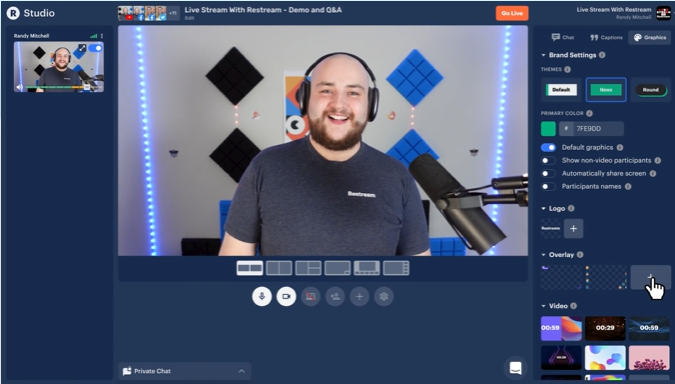
Restream Studio allows you to supercharge your live streaming with everything you need right in your browser. Whether you’re a seasoned professional or a beginner, Restream Studio provides a powerful yet intuitive interface for creating and managing live streams. With no downloads required, it simplifies the process of streaming, allowing you to focus on creating great content.
Top Features of Restream Studio:
- Easy setup: No need to download any software – everything works right from your browser.
- Customization: Add branded graphics, overlays, and captions directly to your stream for a professional look.
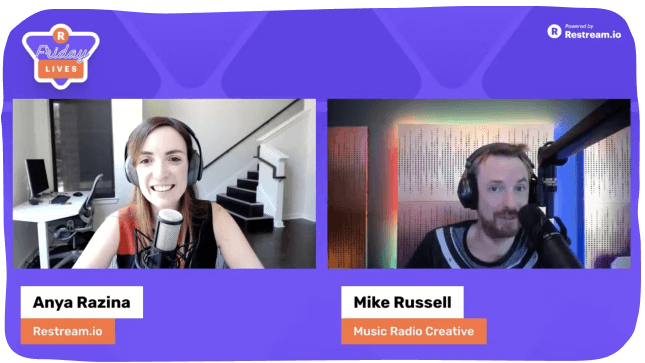
- Guest Invitations: Host interviews or collaborative streams by inviting guests to join with just a click.
- Live Chat Integration: Manage all your comments from different platforms in one place.
2. Multistreaming: Reach Your Audience Everywhere
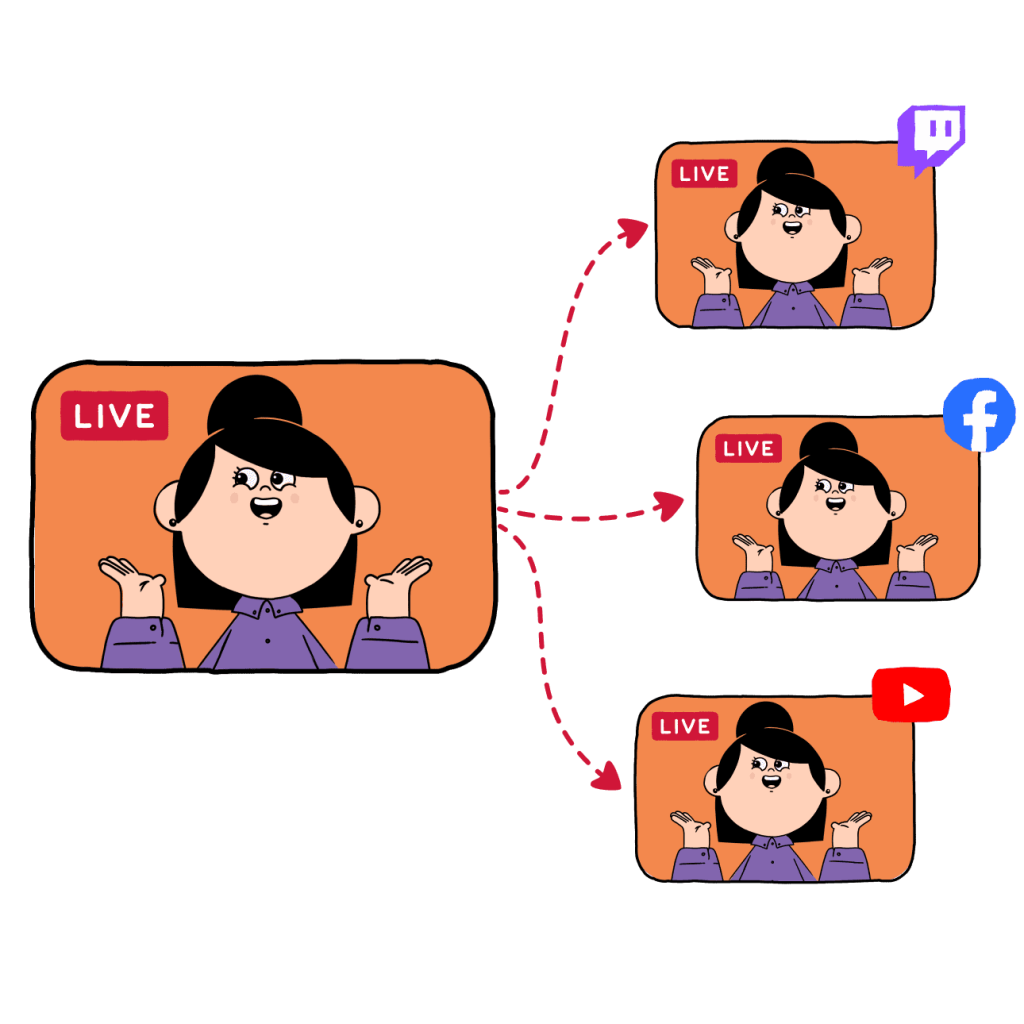
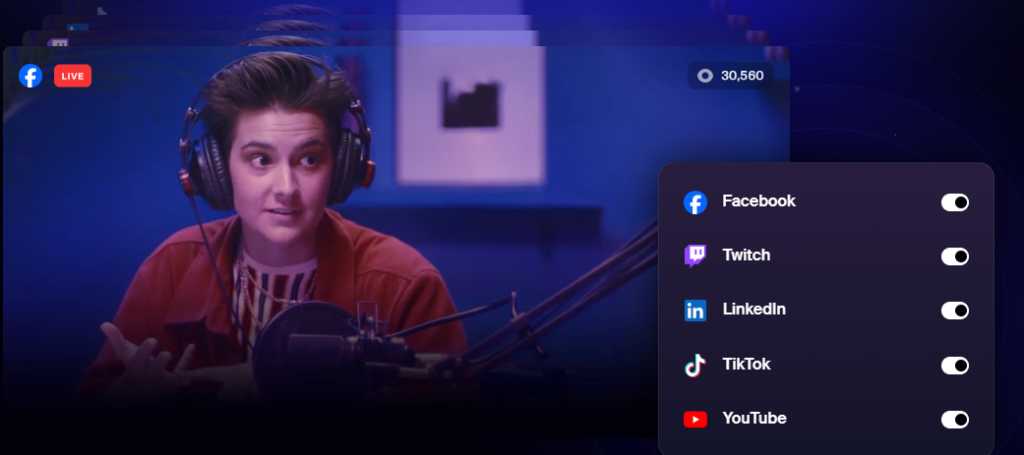
The core of Restream service is its multi-streaming capability. With just one live stream, you can broadcast to 30+ platforms simultaneously, including YouTube, Facebook, Twitch, LinkedIn, and more. This feature allows you to reach a wider audience without having to choose between platforms, ensuring that your content gets the maximum visibility.
3. Upload & Stream: Pre-Recorded Content, Live
Need to go live but don’t have the time to actually be present? Restream Upload & Stream feature allows you to upload pre-recorded videos and stream them live, giving you all the benefits of live streaming with less effort. This is perfect for product launches, webinars, or live sales events where you want to maintain control over the quality of the stream while engaging live with your audience.
4. Collaborative Streaming: Amplify Your Reach
With Restream, you can collaborate with partners and guests in unique ways:
- Partner Channels: Let collaborators rebroadcast your live streams on their own platforms, or host secure channel takeovers for increased exposure.
- Multiple Pages on One Platform: Stream to your Facebook profile, pages, and groups simultaneously to build influence on a single platform.
5. Chat Integration: Keep Conversations Flowing
Restream multi-platform chat integration consolidates comments from all the platforms you’re streaming on, so you never miss a message. Engage with your audience in real-time and keep the conversation flowing across platforms.

Benefits of Using Restream
1. Amplify Your Story
Restream gives you an unfair advantage by allowing you to amplify your live streams across multiple destinations. Whether you’re live on YouTube, interacting with professionals on LinkedIn, or reaching your gaming audience on Twitch, Restream ensures your message is delivered everywhere, without extra work.
2. Build Influence on Multiple Pages
Restream allows you to stream to multiple pages on the same platform. If you’re targeting specific groups or audiences on Facebook, for example, you can stream to your profile, business page, and relevant groups all at once, increasing your influence.
3. Own Your Content
Restream also offers the flexibility to stream directly to your website or custom pages. This is great for businesses that want to avoid social media limitations and maintain full ownership of their content. You can even set up monetized streams where viewers pay to watch or purchase your services.
4. Seamless Integrations
Restream works with most of the popular streaming apps, including OBS, XSplit, Zoom, and more. This means you can maintain your existing streaming setup while leveraging Restream power to broadcast across multiple platforms.
Why Restream is Better than Competitors
When comparing Restream to other streaming services like StreamYard or OBS, several clear advantages emerge:
1. More Platform Integrations
While most competitors allow streaming to popular platforms, Restream integration with 30+ destinations is unmatched. Whether you want to stream to YouTube, Twitch, or even niche platforms like Trovo and DLive, Restream has you covered.
2. Browser-Based Streaming
Unlike platforms like OBS, which require software downloads, Restream browser-based studio is incredibly user-friendly. This makes it perfect for beginners or anyone who wants to avoid technical hurdles while streaming.
3. Multi-Chat and Customization
Restream not only consolidates your chats but also lets you customize your chat box with over 20+ themes. You can even filter offensive comments, ensuring a pleasant viewing experience for your audience.

4. Pre-Recorded Streaming
The ability to stream pre-recorded videos is a major advantage, especially for brands that need high-quality, polished streams without the stress of live production. This feature is perfect for webinars, product demos, and pre-recorded workshops.
How Creators and Brands Leverage Restream
Restream has proven to be invaluable to both independent creators and Fortune 500 companies. Here are some real-world examples of how businesses use Restream:
1. Product Launches
Big brands like Mercedes used Restream to launch their Mercedes EQC 4 to a global audience, amplifying their reach by streaming across multiple social platforms.
2. Product Demos & Workshops
Adobe leveraged Restream to stream live demos of their Creative Cloud software, allowing graphic designers to create business cards live and answer audience questions in real time.
3. Live Sales
Companies like Pair Eyewear use Restream to host flash sales, offering exclusive deals to live viewers while integrating QR codes for easy purchasing during the stream.
Pricing Plans: Choose How Fast You Want to Grow
Restream offers flexible pricing plans designed to suit every level of streamer, from beginners to businesses:
- Free Plan ($0): Stream to two platforms simultaneously, forever free.
- Standard and Professional Plans: These paid plans unlock premium features like multi-streaming to more platforms, team collaboration tools, and access to Restream powerful analytics. Click Here to explore Standard and Professional and Business Plans.
Restream also offers a 7-day money-back guarantee, so you can try it out risk-free.
| Feature | Restream | StreamYard | OBS |
|---|---|---|---|
| Multistreaming | Yes (30+ platforms) | Yes (8 platforms) | No (requires third-party) |
| Pre-Recorded Streaming | Yes | Limited | No |
| Unified Chat | Yes | No | No |
| Analytics | Advanced | Basic | None |
| Ease of Use | High | High | Moderate |
How Restream Solves Common Streaming Challenges
Restream solves several common challenges faced by content creators, businesses, and live streamers. Below are the key problems that Restream addresses and the solutions it provides:
Limited Audience Reach
Many streamers and businesses struggle with limited visibility when they broadcast on just one platform. Being restricted to a single audience pool, such as YouTube or Facebook, can hinder growth and engagement.
Multi-Streaming to 30+ Platforms
Restream allows users to broadcast to over 30 platforms simultaneously, including YouTube, Facebook, Twitch, LinkedIn, Twitter, and many more. This enables content creators to reach a wider, more diverse audience without any extra effort. With Restream, you’re not confined to one channel, meaning your content can engage viewers across multiple platforms.
Complex Streaming Setup
Setting up live streams across multiple platforms can be overwhelming, especially for beginners. Many streaming tools require complex software and configurations that take time and technical expertise to manage.
Browser-Based Restream Studio
Restream Studio offers a simple, browser-based interface for live streaming, eliminating the need to download or install additional software. Users can start streaming directly from their browser with minimal setup, making it highly accessible even for users without technical expertise. It also supports drag-and-drop customization, adding logos, captions, overlays, and more for professional-quality streams.
Managing Chats Across Multiple Platforms
When multi-streaming to several platforms, it becomes difficult to manage interactions and conversations from different chat windows. This often results in lost engagement and fragmented communication with the audience.
Unified Chat Aggregation
Restream consolidates chat messages from all the platforms you are streaming on into a single dashboard. This allows streamers to read, respond, and engage with viewers from YouTube, Twitch, Facebook, and more without switching tabs. Restream also offers a chat overlay feature, where streamers can display live comments on-screen to keep the conversation interactive and visible to all viewers.
Stream Quality Issues & Tech Barriers
Live streaming often requires strong internet connections and powerful devices to avoid glitches, lag, or dropped streams. Streamers with older equipment or poor connectivity might struggle to deliver high-quality streams.
Pre-Recorded Streaming with Upload & Stream
Restream Upload & Stream feature allows users to stream pre-recorded content as if it were live. This ensures that the audience experiences perfect quality content, regardless of the streamer’s internet speed or technical limitations. It also reduces the stress and pressure of live events by allowing content creators to focus on interaction while a pre-recorded video plays.
Lack of Professional Branding & Customization
Creating professional-looking live streams can be difficult without advanced tools or graphic design skills. Streamers need ways to customize their broadcasts to align with their brand and engage viewers visually.
Custom Branding, Graphics, and Overlays
Restream provides powerful customization tools where users can easily add logos, captions, overlays, backgrounds, and branded elements to their live streams. These features allow for polished, professional streams that stand out and help build a brand identity. Streamers can even include interactive graphics, such as QR codes, to allow viewers to make purchases directly from the live stream.
Unreliable Streaming
Unexpected technical failures or interruptions during a live stream can damage a creator’s reputation or lead to lost audience engagement.
Backup Stream & Reliability
Restream offers a backup stream feature, which automatically replaces your primary stream if something goes wrong. This ensures minimal disruption and helps maintain a seamless viewing experience for your audience.
Lack of Data for Stream Improvement
Many streamers lack access to in-depth performance data across multiple platforms, making it difficult to optimize future broadcasts based on real insights.
Real-Time Analytics
Restream provides detailed real-time analytics, offering insights into your viewer count, engagement metrics, chat interactions, and peak moments across all platforms. These analytics empower users to track performance, make data-driven decisions, and improve their live streaming strategies.
Time Constraints for Live Streaming
Many content creators or businesses want the benefits of live streaming but don’t always have the time to commit to being live regularly. Scheduling conflicts and workloads make consistent live streaming difficult.
Stream Scheduling and Playlists
Restream allows users to schedule live streams in advance, creating anticipation among their audience while also freeing up time for the streamer. Additionally, the playlist feature enables users to queue, schedule, and loop pre-recorded videos to maintain a continuous, binge-worthy live experience without the need for constant attention.
Lack of Collaboration Features
Streamers or businesses often need to collaborate with teammates, guests, or partners to create joint content, but managing such collaborations on live streams can be technically complex.
Collaborative Streaming & Team Management
Restream allows users to invite guests to their live streams effortlessly, whether for interviews, co-hosting, or panel discussions. Moreover, the teams feature enables users to collaborate with other teammates in the preparation, co-creation, and post-production of content. This makes Restream ideal for businesses, marketing teams, and content creators who work with others.
Why Restream is the Best Choice
Restream provides an all-in-one solution to supercharge your live streaming efforts. Its multi-streaming capabilities, user-friendly interface, advanced customization options, and detailed analytics make it an ideal choice for content creators, marketers, and businesses alike. If you’re serious about expanding your reach, improving audience engagement, and taking your live streams to the next level, Restream is the platform you need.
FAQs About Restream
Restream consolidates your stream and broadcasts it to multiple destinations at once. You can stream to platforms like YouTube, Facebook, and Twitch simultaneously without needing to manage multiple streams manually.
Restream offers a free plan, which allows users to stream to two platforms simultaneously with limited features. For more advanced features like multi-streaming to more platforms, custom branding, and team collaboration, Restream offers paid plans.
Restream supports over 30 platforms, including popular destinations like YouTube, Facebook, Twitch, LinkedIn, Twitter, and niche platforms like Trovo and DLive. You can even stream to multiple Facebook pages or groups simultaneously.
Yes! With Restream Studio, you can add custom overlays, logos, captions, backgrounds, and more to make your stream look professional. You can also display live chat from all platforms on your stream.
Yes, Restream allows you to schedule live streams in advance. This feature is great for promoting your streams ahead of time and ensuring that your audience knows when to tune in.
Pre-recorded streaming allows you to upload videos and broadcast them as if they were live. This is useful when you want to broadcast high-quality content without being present during the stream. You can upload your video and schedule it to go live at a specific time.
Yes, Restream integrates seamlessly with popular streaming software like OBS, Streamlabs OBS, XSplit, Zoom, and more. You can continue using your existing setup while leveraging Restream’s multi-streaming capabilities.
Restream aggregates all chat messages from your various platforms into a single dashboard, so you can manage and respond to all your audience interactions in one place. You can even display chats on-screen during the live stream.
Restream offers real-time analytics that track important metrics such as viewer count, engagement, and peak moments during your streams. These insights help you understand your audience better and optimize future streams.
Yes! Restream Studio allows you to invite up to 10 guests to your live stream. You can send them an invitation link, and they can join your stream without needing to install any software.
Yes, Restream provides a backup stream option, which automatically takes over if your main stream encounters issues. This ensures uninterrupted streaming and minimizes the risk of downtime.
Restream uses secure data encryption to protect your streaming data. Additionally, you can control privacy settings for your streams, especially when broadcasting to private channels or custom websites.
Yes, with Restream, you can stream directly to your website or custom landing pages. This feature allows you to control your content and avoid the limitations of social media platforms.
Restream is used by Fortune 500 companies and independent creators alike for various use cases such as product launches, webinars, live sales, and 24/7 content streaming. It helps businesses reach their audience across multiple platforms, ensuring maximum visibility.

- Stream To 30+ Platforms
- Browser-Based Streaming Studio
- Unified Chat System
- Pre-Recorded Video Streaming
- Real-Time Stream Analytics
In today’s digital landscape, reaching your audience where they are is crucial. Restream provides an all-in-one solution that simplifies multi-platform streaming while offering powerful tools to enhance your content and engage your audience.
Whether you’re a gamer, a business professional, or a content creator in any niche, Restream has the features and flexibility to take your streaming to the next level. With its user-friendly interface, robust feature set, and scalable pricing options, Restream is an invaluable tool for anyone looking to maximize their online presence.
Ready to revolutionize your streaming strategy? Visit Restream now to explore its features and start your free trial. Join over 8 million satisfied customers and start reaching your audience, wherever they are!