In today’s fast-paced business environment, customer service automation has emerged as a game-changer, streamlining processes and enhancing customer experiences. Businesses that implement automated customer service can address customer inquiries faster, improve satisfaction, and gain a competitive edge. From customer service automation tools handling basic inquiries to AI-driven systems analyzing customer feedback, automation in customer service offers both businesses and customers numerous benefits. As technology advances, companies are finding even more ways to leverage automation to address complex challenges, manage customer interactions, and ensure high-quality support at all times.

This comprehensive guide delves into everything you need to know about automating customer service. We’ll explore key benefits, effective strategies, various types of customer support automation tools, best practices for implementation, and a glimpse into the future of automated customer service. Whether you’re a business leader or a customer service professional, this guide provides insights to help you understand and maximize the advantages of customer service automation software.
What is Customer Service Automation?
Customer service automation involves using technology to perform tasks that would traditionally require human intervention. Automation solutions streamline processes like answering customer inquiries, managing customer service tasks like ticketing, and analyzing customer feedback. These automated customer service systems use algorithms, artificial intelligence (AI), and machine learning to understand customer queries, provide relevant responses, and enhance the overall service experience.
With tools like chatbots, interactive voice response (IVR) systems, and automated email responses, companies can now handle basic support requests more efficiently, freeing up customer service agents to focus on more complex and personalized interactions. As a result, automation not only improves response times but also helps businesses maintain consistency and accuracy in their customer interactions.

How Automated Customer Service Works
Automated customer service systems rely on a combination of AI, machine learning, and natural language processing (NLP). When a customer initiates an interaction, whether it’s via chat, email, or phone, the automated system processes the query and determines the most appropriate response. For instance, a chatbot may answer frequently asked questions by retrieving information from a knowledge base or directing customers to self-service portals.
Advanced systems can analyze past interactions, detect patterns in customer feedback, and predict customer needs. By doing so, automation not only addresses customer inquiries but also proactively improves the customer experience. These automated systems, however, are not designed to replace human agents entirely; instead, they work alongside them to ensure customers receive timely and relevant support.
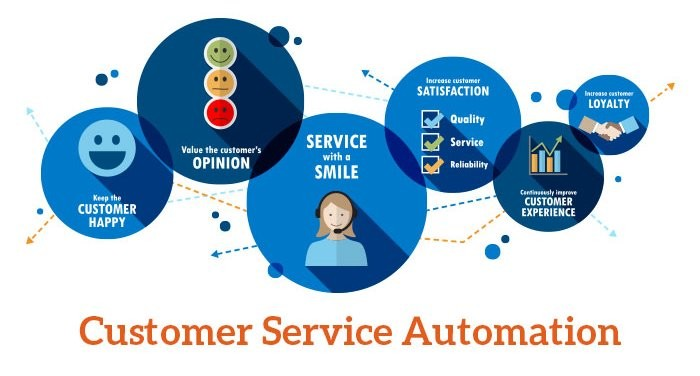
Benefits of Customer Service Automation
Efficiency and Reduced Response Time
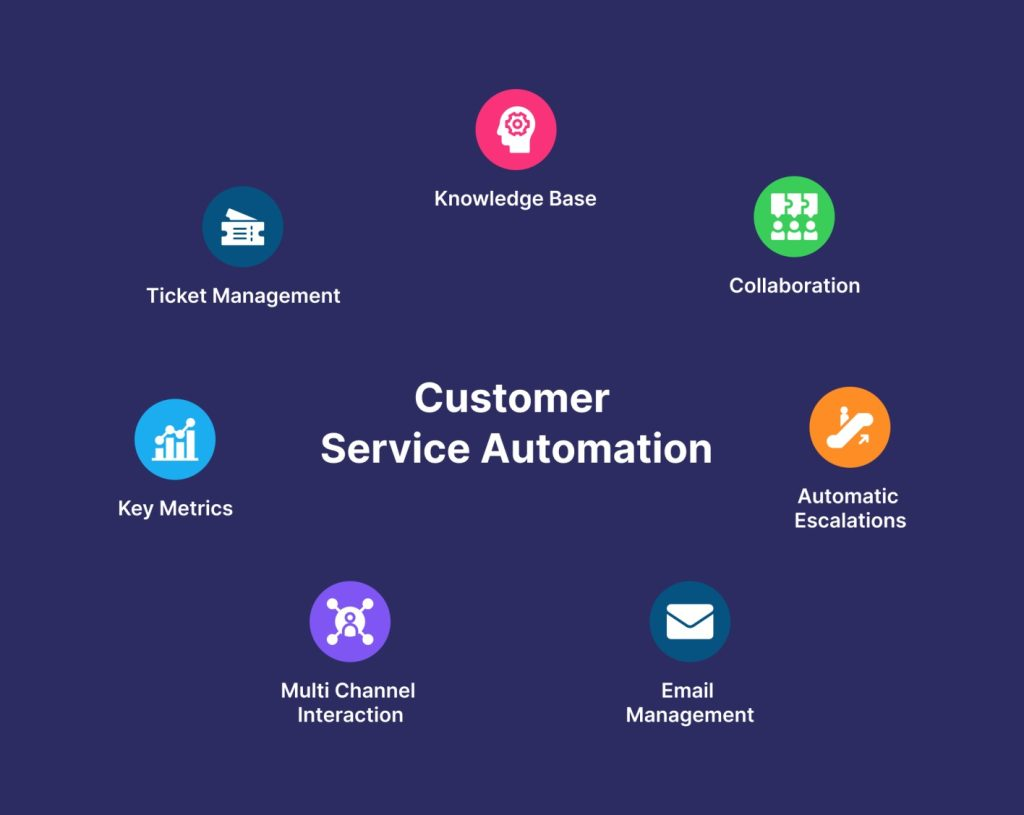
One of the primary advantages of customer service automation is the ability to handle high volumes of inquiries quickly. Automated customer service tools, such as chatbots and automated ticketing systems, can respond instantly to routine questions, reducing wait times and improving the overall customer experience. As customer inquiries are resolved faster, businesses experience fewer bottlenecks, enabling them to maintain service quality even during peak periods.
Moreover, automated systems can manage multiple customer requests simultaneously without compromising accuracy, making them invaluable for businesses experiencing high support volumes. By handling repetitive tasks efficiently, customer service automation enables human agents to focus on complex or sensitive issues, ultimately optimizing the entire support process.
Enhanced Customer Satisfaction and Loyalty
Customers value speed, accuracy, and personalization when it comes to support. Automated systems can deliver on these expectations by providing quick, accurate responses tailored to customer needs. By monitoring customer feedback and satisfaction scores, businesses can continually improve their automated responses and adjust their strategies to better meet customer expectations.
As customers receive reliable and fast support, their overall satisfaction increases, leading to improved loyalty. Satisfied customers are more likely to return to a brand they trust and even recommend it to others, making customer service automation a critical tool in fostering long-term customer loyalty.

Cost Savings and Operational Efficiency
For many companies, the cost of staffing a large customer service team can be a significant expense. Automating certain customer service tasks can reduce these costs by decreasing the need for extensive human resources while still ensuring efficient operations. By automating repetitive tasks, companies can allocate their resources to more critical areas, ultimately saving time and money.
Furthermore, customer service automation minimizes the potential for human error in responses, which can improve the accuracy and quality of support. This operational efficiency translates into cost savings for the business, as fewer resources are required to manage customer inquiries, and issues are resolved more consistently.
24/7 Availability and Immediate Assistance
Another key benefit of automated customer service systems is their ability to provide round-the-clock support. With automated customer service tools, businesses can serve customers across different time zones without needing to staff a 24-hour support team. Automated chatbots, for instance, can handle basic inquiries even after office hours, ensuring that customers receive assistance whenever they need it.
This 24/7 availability significantly enhances the customer experience by eliminating the frustration of delayed responses. Immediate assistance, even for basic questions, helps customers feel valued and respected, contributing to an overall positive perception of the brand.


Improved Customer Feedback Management
Collecting and analyzing customer feedback is essential for improving service quality. Automated systems can streamline this process by automatically collecting feedback at various customer interaction points. For example, after a customer completes a support session, they might be prompted to rate their experience or provide feedback.
Automated customer feedback management not only saves time but also enables businesses to gather real-time insights into customer sentiment. By analyzing this data, companies can identify trends, detect areas for improvement, and make informed decisions to enhance their customer service strategies.
Key Components of a Customer Service Automation Strategy
Identifying Customer Service Automation Goals
Before implementing automation, it’s essential for companies to identify specific goals they want to achieve, such as reducing response times, enhancing customer satisfaction, or minimizing operational costs. By clearly defining these objectives, businesses can tailor their automation strategies to address their unique challenges and better serve their customers.
For example, a company focused on improving response times might prioritize implementing chatbots to handle frequently asked questions, while a company seeking to enhance customer loyalty might focus on personalization and customization of automated interactions.
Selecting Customer Service Automation Tools
Choosing the right tools is critical to the success of any automation strategy. Businesses must evaluate various options, including chatbots, IVR systems, and automated ticketing software, to determine which tools best meet their specific needs. Each tool has unique features designed to solve particular problems, and selecting the appropriate combination ensures that the automation system aligns with the company’s overall support goals.
For instance, a company looking to improve response accuracy might benefit from a knowledge base integrated with AI-powered search capabilities, while another focused on personalization might leverage NLP-powered chatbots that can engage in more meaningful conversations with customers.
Role of Customer Data in Automation
Customer data plays a crucial role in personalization, allowing businesses to tailor responses and offer relevant solutions based on individual customer preferences and history. By integrating customer data with automation tools, businesses can provide a more personalized service experience, which has been shown to increase customer satisfaction and loyalty.
Furthermore, analyzing customer data allows businesses to detect patterns and predict future needs, enabling them to proactively address potential issues and improve overall service quality.
Ensuring Human Intervention When Needed
While automation can handle many routine tasks, some situations require a personal touch. Complex or emotionally sensitive issues often necessitate human intervention to ensure customers feel heard and understood. By incorporating human agents into the automation strategy, businesses can maintain the quality of customer interactions, offering the best of both worlds – efficiency and empathy.
Automated systems should be designed with escalation protocols, enabling seamless transitions from bots to human agents when necessary. This hybrid approach ensures customers receive appropriate support, no matter the complexity of their queries.
Types of Customer Service Automation Tools
Chatbots and Virtual Assistants
Chatbots are among the most widely used automation tools in customer service today. Designed to handle a wide range of inquiries, these bots can provide instant responses, guide users to relevant information, and handle multiple interactions simultaneously. By utilizing AI and machine learning, advanced chatbots can engage in meaningful conversations and understand context, enabling them to assist with more complex issues.
Virtual assistants, a more advanced form of chatbot, can perform tasks like appointment scheduling, product recommendations, and even process transactions. They offer a personalized experience by analyzing user data and behavior, thereby providing solutions tailored to individual customer needs.

Automated Ticketing Systems
Automated ticketing systems streamline the management of support requests by organizing inquiries into categorized tickets. This system assigns priority levels, routes tickets to appropriate support agents, and tracks the status of each issue. Automated ticketing reduces manual sorting and ensures that customer inquiries don’t fall through the cracks, providing efficient and orderly support.
Automated ticketing also allows businesses to identify trends in support issues by categorizing requests. With data on recurring problems, companies can address root causes, potentially reducing the volume of tickets over time.
Interactive Voice Response (IVR) Systems
Interactive Voice Response (IVR) systems guide customers through a series of automated prompts, allowing them to self-navigate through the call options. IVR systems can manage simple inquiries, such as account balances or payment processing, without human assistance. This automation helps reduce call volumes and allows customer service agents to focus on complex issues that require a personal touch.
By using IVR, businesses can offer round-the-clock service for basic requests, improving accessibility and convenience for customers. Additionally, IVR systems can be programmed to recognize keywords, directing customers to the relevant department or service based on their spoken responses.

Knowledge Base and Self-Service Portals
Knowledge bases and self-service portals empower customers to find solutions independently. These resources typically include FAQs, how-to guides, and troubleshooting articles. With automation, knowledge bases can be equipped with intelligent search features, making it easier for customers to find accurate information quickly.
Self-service portals reduce the need for direct support while enhancing the user experience, as customers can resolve issues at their convenience. They’re especially valuable for tech-savvy users who prefer a hands-on approach and can also lower support costs by reducing ticket volumes.
Natural Language Processing (NLP) in Automation
Natural Language Processing (NLP) is a powerful technology that enables automated systems to understand and respond to human language. By analyzing customer queries, NLP-powered tools can interpret the intent behind each message, allowing for more accurate and relevant responses. This technology is foundational in creating intelligent chatbots and virtual assistants capable of understanding context and providing nuanced answers.
NLP enhances the automation experience by allowing customers to communicate in a natural, conversational way. With continuous advancements, NLP is expected to further refine automated interactions, making them more intuitive and customer-friendly.
Popular Customer Service Automation Software
Top 5 Customer Service Automation Tools
Zendesk – A versatile tool for customer support automation, Zendesk offers features like automated ticketing, a comprehensive knowledge base, and AI-powered chatbots. Its user-friendly interface makes it ideal for businesses of all sizes.
Freshdesk – Known for its automation workflows and efficient ticket management system, Freshdesk helps businesses streamline support processes and improve response times. It also offers self-service options like knowledge bases.
Salesforce Service Cloud – Part of the Salesforce ecosystem, this tool provides an array of automation capabilities, including case routing and intelligent chatbots. It integrates well with other Salesforce products, making it a robust solution for larger organizations.
Intercom – A customer messaging platform that combines live chat with automation, Intercom provides tools for proactive support, personalized messaging, and AI-powered responses, ideal for engaging users on websites and mobile apps.
HubSpot Service Hub – A powerful tool for inbound support automation, HubSpot’s Service Hub offers a ticketing system, a knowledge base, and customer feedback management. Its integration with the broader HubSpot suite makes it highly adaptable for customer relationship management (CRM) needs.

Choosing the Right Automation Solution for Your Business
Selecting the best automation software requires careful consideration of business needs and customer expectations. Companies should evaluate features such as scalability, integration with existing systems, ease of use, and the level of customization available. For instance, a business with a high volume of complex inquiries may prioritize AI-powered chatbots, while a company with a large knowledge base may seek an automation solution with advanced search functionalities.
By assessing the unique needs of the business and customers, companies can implement a customer service automation system that aligns with their goals and enhances the support experience.
Implementing Customer Service Automation: A Step-by-Step Guide
Assessing Customer Support Needs
The first step in implementing automation is to analyze your current customer support operations. Determine which tasks consume the most time, such as handling repetitive inquiries or processing routine requests, and evaluate where automation can alleviate these pressures. By identifying areas for improvement, businesses can strategically target their automation efforts.
Conducting a customer support audit, where you assess response times, frequently asked questions, and common support issues, can provide invaluable insights into where automation will have the most significant impact.
Setting Up Automated Workflows
Creating workflows is essential to ensure seamless operations within an automated system. For instance, you might set up an automated workflow that routes incoming inquiries to specific departments based on keywords. Automated workflows can also escalate urgent issues to human agents, ensuring that high-priority cases receive the attention they need.
Effective workflows can reduce the time spent managing inquiries, allow for more strategic resource allocation, and provide customers with timely support. By designing workflows that accommodate different customer scenarios, businesses can optimize their support efficiency.
Training Customer Service Teams on Automation Tools
To make the most of customer service automation, businesses must train their support teams to use these tools effectively. Training should cover tool functionalities, response protocols, and when to intervene in automated interactions. Proper training helps agents understand when and how to step in, ensuring customers receive personalized support when needed.
When customer service teams are equipped with automation expertise, they can enhance the customer experience by seamlessly transitioning between automated and human-led support.
Monitoring and Optimizing Automated Systems
Once customer service automation is implemented, ongoing monitoring is critical to ensure it performs effectively. Track metrics such as response times, customer satisfaction scores, and feedback trends to identify areas for improvement. Regular reviews help identify if automated responses are accurate, relevant, and effectively addressing customer needs.
Optimization is a continuous process. As businesses collect data and gain insights from customer interactions, they can fine-tune their automation strategies, improving the quality and effectiveness of automated support.

Best Practices for Customer Service Automation
Implementing customer service automation requires careful consideration of several best practices to ensure a seamless and effective experience for customers. By following these guidelines, businesses can maximize the benefits of automation while maintaining a high level of customer satisfaction.
Know Your Top Call Drivers
Understanding the primary reasons why customers contact your business is crucial for effective automation. By identifying your top call drivers, you can create targeted automation solutions that address the most common customer inquiries. This can include creating FAQs, automated responses, or self-service options that cater to these specific needs. For instance, if a significant portion of your customer inquiries revolves around order status updates, implementing a chatbot that provides real-time tracking information can drastically reduce the volume of such calls, freeing up your customer service team to handle more complex issues.
Provide Important Updates Through Your IVR
Interactive Voice Response (IVR) systems can be a powerful tool for providing customers with important updates and information. By leveraging IVR, businesses can proactively communicate with customers, reducing the need for manual intervention and improving the overall customer experience. For example, an IVR system can be programmed to inform customers about service outages, policy changes, or promotional offers, ensuring that they receive timely and relevant information without having to wait for a human agent.
Gather Customer Feedback Regularly
Regularly collecting customer feedback is essential for refining and improving your automation strategy. By gathering feedback through surveys, social media, and direct customer interactions, businesses can identify areas for improvement and make data-driven decisions to optimize their automation solutions. Automated systems can be set up to prompt customers for feedback after an interaction, providing valuable insights into their satisfaction levels and areas where the service can be enhanced. This continuous feedback loop helps businesses stay attuned to customer needs and adjust their strategies accordingly.
Sync Automations with Your CRM
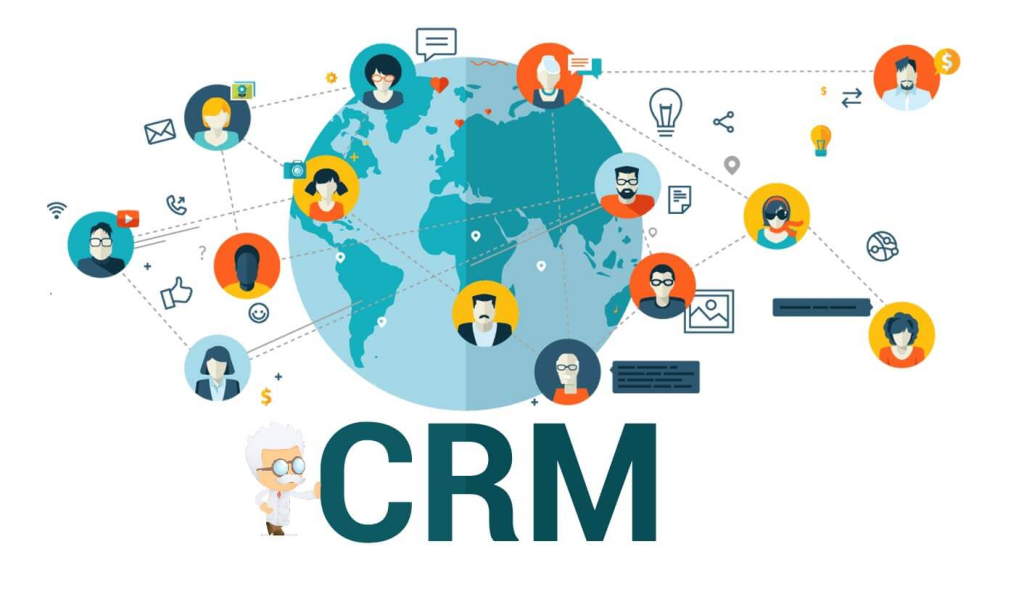
Integrating your automation solutions with your Customer Relationship Management (CRM) system is vital for creating a unified customer experience. By syncing automations with your CRM, businesses can ensure that customer data is accurate, up-to-date, and accessible across all channels, enabling personalized and effective customer interactions. For instance, when a customer contacts support, the automated system can pull up their history from the CRM, providing contextually relevant responses and ensuring a seamless experience. This integration not only enhances the efficiency of automated systems but also helps in building stronger customer relationships.
Handling Customer Inquiries with Automation
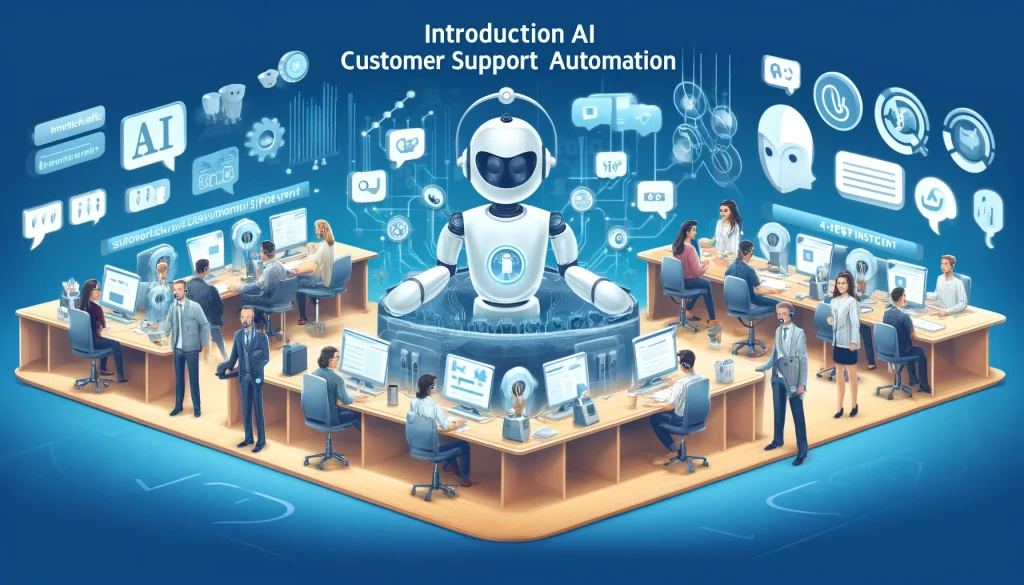
Automating customer inquiries can significantly improve response times, reduce manual labor, and enhance customer satisfaction. By implementing automated systems, businesses can efficiently handle a high volume of customer inquiries, freeing up human agents to focus on more complex and emotionally charged issues.
Automated customer service tools, such as chatbots and IVR systems, can provide instant responses to common questions, such as order status, account information, or troubleshooting steps. These systems use AI and machine learning to understand and respond to customer queries accurately, ensuring that customers receive timely and relevant information. For example, a chatbot can guide a customer through the process of resetting a password or provide detailed product information, reducing the need for human intervention.
Moreover, automated systems can handle multiple inquiries simultaneously, ensuring that no customer is left waiting. This capability is particularly valuable during peak times when the volume of customer inquiries can overwhelm human agents. By automating routine tasks, businesses can maintain high service levels and ensure that customers receive prompt assistance, leading to increased satisfaction and loyalty.
In conclusion, automating customer inquiries not only streamlines support operations but also enhances the overall customer experience. By leveraging advanced technologies and integrating them with existing systems, businesses can provide efficient, accurate, and personalized support, meeting the evolving expectations of their customers.
Customer Service Automation Use Cases Across Industries
E-commerce and Retail
In e-commerce, customer service automation is essential for handling high volumes of inquiries related to orders, returns, and product information. Chatbots can assist with tracking orders and answering product-specific questions, while automated ticketing can ensure that complex issues reach human agents promptly. Self-service portals allow customers to manage orders independently, freeing up support teams for more intricate inquiries.
Automation in e-commerce also enhances personalization by recommending products based on browsing history, providing a more engaging shopping experience that boosts customer satisfaction and loyalty.

Healthcare Customer Support
In healthcare, customer service automation supports tasks such as appointment scheduling, medication reminders, and general inquiries about services. HIPAA-compliant chatbots can answer common patient questions, provide health resources, and direct patients to appropriate departments. Automated systems in healthcare help patients get the information they need faster, while support teams handle sensitive or complex issues.
By automating these routine inquiries, healthcare providers can improve patient experience, reduce wait times, and allocate resources more efficiently, ultimately enhancing the quality of care.

Financial Services and Banking
Banks and financial institutions rely on automation for secure and efficient customer service. From account balance inquiries to fraud alerts, automation allows customers to manage their finances with ease. IVR systems and chatbots can guide users through routine banking tasks, such as account setup, balance checks, and transaction histories, without requiring human intervention.
Automation in financial services not only enhances accessibility but also improves security by ensuring consistent verification processes and handling data with strict compliance standards.
Travel and Hospitality Industry
The travel and hospitality sector leverages automation to assist with booking confirmations, cancellations, and real-time support. Chatbots can provide travel recommendations, itinerary updates, and booking information instantly, which is crucial for travelers needing timely assistance. Automated systems allow travelers to modify reservations or seek support at any hour, providing a seamless travel experience.
By utilizing automation, travel and hospitality businesses can manage high call volumes, personalize the booking experience, and ensure customers receive reliable information at all stages of their journey.

Challenges of Customer Service Automation
Balancing Automation with Human Interaction
A key challenge in customer service automation is finding the right balance between automated responses and human intervention. While automation is efficient for handling routine inquiries, there are situations where customers require a human touch, particularly for sensitive or complex issues. Relying too heavily on automation can create frustration if customers feel they cannot reach a human agent when needed.
To address this, businesses should establish clear guidelines for transitioning customers from automated systems to human agents. This hybrid approach ensures customers feel valued and heard while benefiting from the efficiency of automation.

Privacy and Security Concerns
Automated customer service systems handle large volumes of sensitive data, including personal information, financial details, and sometimes health data. As automation becomes more integrated into support processes, maintaining data privacy and security becomes paramount. Businesses must ensure compliance with data protection regulations, like GDPR in Europe or CCPA in California, and adopt encryption protocols to safeguard customer information.
Implementing strong security practices, including regular security audits and rigorous access controls, helps protect sensitive data from breaches or misuse. Transparency is also essential; informing customers about how their data is collected, used, and stored within automated systems builds trust and reassures them that their information is handled responsibly.
Maintaining Personalization in Automated Interactions
Another challenge is providing a personalized experience in an automated setup. While automation excels in efficiency, it can sometimes feel impersonal, especially if customers sense they are dealing with a machine rather than a human. Personalized customer service is crucial for building strong customer relationships, so businesses need to implement solutions that address each customer’s unique needs.
Advanced AI-powered tools can help overcome this hurdle by using customer data to deliver personalized responses based on purchase history, preferences, and previous interactions. By integrating natural language processing and machine learning, businesses can refine their automated interactions, making them feel more natural and relevant to individual customers.
Technical Difficulties and System Maintenance
Automated customer service systems are not immune to technical glitches. System outages, errors in responses, or delayed processing times can disrupt the customer experience. For instance, if an automated chatbot malfunctions, it could fail to respond to queries accurately or misinterpret customer requests, leading to frustration and dissatisfaction.
To mitigate these risks, businesses need to invest in regular system maintenance, software updates, and technical support. Ensuring a robust support system for automated tools minimizes downtime and enhances reliability. Testing the automation tools periodically and refining them based on customer feedback can also help improve performance over time.
Future Trends in Customer Service Automation
AI and Machine Learning in Customer Support
The use of artificial intelligence (AI) and machine learning (ML) in customer support is set to revolutionize customer service automation. AI-powered systems can analyze customer interactions in real-time, identifying patterns and providing insights that human agents might miss. Machine learning algorithms enable automated systems to learn from previous interactions, improving response accuracy and relevance over time.
In the future, AI could predict customer needs and proactively offer solutions before an issue arises, creating a smoother and more intuitive customer experience. For instance, an AI-driven system might notice that a customer frequently contacts support for specific questions and provide automated reminders or resources related to those inquiries.
Increased Use of Self-Service Options
With the rising demand for on-demand support, self-service options like knowledge bases, FAQs, and community forums are becoming essential elements of customer service automation. Customers increasingly prefer self-service tools that allow them to resolve issues on their own, without waiting for a support agent.
The future will likely see more sophisticated self-service options, such as interactive knowledge bases that use AI to suggest relevant articles based on customer behavior. Businesses can expect customers to engage with self-service portals that continuously improve in usability and effectiveness, empowering them to resolve issues independently.
Growth of Natural Language Processing (NLP)
Natural language processing technology is enhancing the quality of automated responses, making interactions more intuitive and effective. As NLP technology evolves, it will become even better at understanding customer intent, context, and emotion, allowing automated systems to respond in more natural and empathetic ways.
In the future, NLP-powered automation will likely be able to handle complex queries that previously required human intervention. By understanding subtle nuances in language, NLP-enabled tools can improve the quality of automated customer service, making it more conversational and less robotic.
Expansion of Automation in Small and Medium Businesses
As automation tools become more accessible and affordable, small and medium-sized businesses (SMBs) are increasingly adopting automation for customer service. In the past, automation solutions were often limited to large enterprises due to their high costs and complexity. However, the rise of cloud-based automation solutions and AI-driven tools has made it possible for SMBs to benefit from customer service automation without significant upfront investments.
This trend is expected to continue, enabling SMBs to provide a competitive customer experience while keeping operational costs manageable. Automation allows these businesses to operate efficiently and provide fast, reliable support without the need for large support teams.
FAQs on Customer Service Automation
Automating customer service jobs involves using technology like AI, chatbots, and automated ticketing systems to handle routine tasks. Common steps include identifying repetitive tasks, selecting suitable automation tools, setting up workflows, and integrating these tools into customer support operations.
Service automation in CRM (Customer Relationship Management) refers to using automation tools to manage customer interactions, streamline service requests, and provide timely responses. Automation within a CRM system helps support teams track inquiries, prioritize tasks, and provide a seamless customer experience.
Technologies like artificial intelligence (AI), natural language processing (NLP), machine learning, and interactive voice response (IVR) are commonly used for customer service automation. These tools enable chatbots, automated ticketing, and self-service options, enhancing customer experience and support efficiency.
The three main components of customer automation rules are triggers, conditions, and actions. Triggers initiate the automation process based on specific events (like a customer inquiry), conditions define criteria for processing (like inquiry type), and actions specify the automated responses or workflows.
Yes, many aspects of customer support can be automated, especially routine inquiries, basic troubleshooting, and repetitive tasks. However, complex or emotionally sensitive issues still benefit from human intervention, providing a hybrid approach to support.
A common example of automated customer service is a chatbot that answers frequently asked questions on a company’s website. Another example is an automated ticketing system that categorizes and routes customer inquiries to appropriate support teams.
Automation helps customers by providing quick, 24/7 responses, reducing wait times, and improving accessibility to support. It allows customers to find answers independently through self-service options, enhancing their overall experience and satisfaction.
Automation in customer service involves using technology to handle support tasks that don’t require human input. Examples include responding to frequently asked questions, managing support tickets, and collecting customer feedback.
Automation support refers to the use of automated systems and tools to manage customer interactions, streamline response workflows, and improve support efficiency. It includes everything from chatbots to automated ticketing and self-service resources.
An automated support system is a technology-based solution that manages customer inquiries, often through chatbots, IVR systems, or automated email responses. It operates without human intervention to provide basic support, routing, or self-service options.
Automated assistance refers to using technology to offer customer support services without real-time human involvement. This can include answering FAQs, guiding customers through processes, or providing information using automated tools.
Supporting automation involves maintaining and optimizing automated systems to ensure smooth customer interactions. This includes regular system updates, performance monitoring, employee training, and gathering feedback to improve automation workflows.
Automated compliance support uses technology to ensure that customer service interactions adhere to regulatory and compliance standards. It helps businesses maintain consistent record-keeping, follow data privacy protocols, and reduce human error in compliance-related tasks.
Customer service automation is transforming the way businesses interact with their customers, offering a balance of efficiency, cost savings, and enhanced satisfaction. By implementing the right tools and strategies, companies can provide faster, more personalized support that meets customer expectations in a digital age. However, while automation handles routine tasks with ease, human agents play a critical role in delivering empathetic and complex support that technology alone cannot provide.
The future of customer service lies in a hybrid approach, where automation and human intervention work together to provide seamless, high-quality support. By embracing this balance, businesses can ensure they not only meet but exceed the expectations of modern consumers, fostering loyalty and driving success in the competitive world of customer service.