The real estate industry is becoming increasingly competitive, with real estate professionals constantly seeking ways to stand out and capture more leads. Whether you are a solo real estate agent or part of a large real estate business, managing client relationships, property listings, and multiple transactions can become overwhelming. This is where Customer Relationship Management (CRM) systems come in. In a world where efficiency and personalized client interactions are critical, real estate agents are turning to the best real estate
A CRM system designed specifically for real estate helps professionals manage their entire sales process—from lead generation to closing deals. By automating repetitive tasks such as follow-up emails, scheduling property viewings, and organizing client communication, real estate

Why CRM Systems Are Crucial for Real Estate Professionals
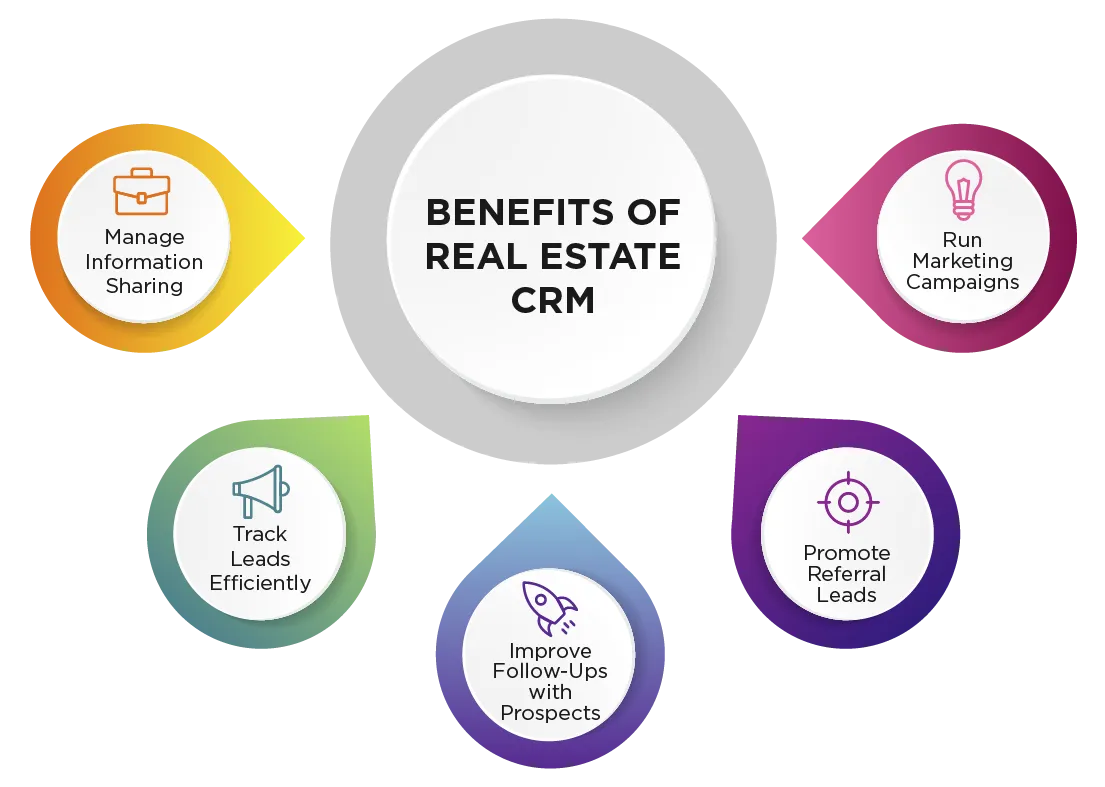
In the fast-paced world of real estate, the ability to track and nurture leads effectively can make or break a business. Real estate professionals need CRM systems to manage a high volume of leads, keep track of conversations, and follow up with potential clients at the right time. CRMs specifically built for real estate agents come equipped with features such as pipeline management, automated drip campaigns, and lead tracking, which ensure no opportunity slips through the cracks. They enable real estate businesses to maintain organized client databases, monitor client behavior, and streamline their marketing efforts.
Selecting the right CRM system for your real estate business is crucial for improving efficiency, strengthening client relationships, and driving sales growth. A well-chosen real estate CRM not only helps you manage customer data but also provides insights through advanced reporting and analytics, helping you make data-driven decisions to nurture leads and close deals faster.
In this post, we will explore the key features and benefits of a real estate CRM, why real estate agents need one, and a detailed review of the best real estate CRMs available in 2026. We’ll also cover how to choose the right CRM for your business, best practices for implementation, and ways to maximize your CRM’s potential for long-term success.
Core Functions of a Real Estate CRM
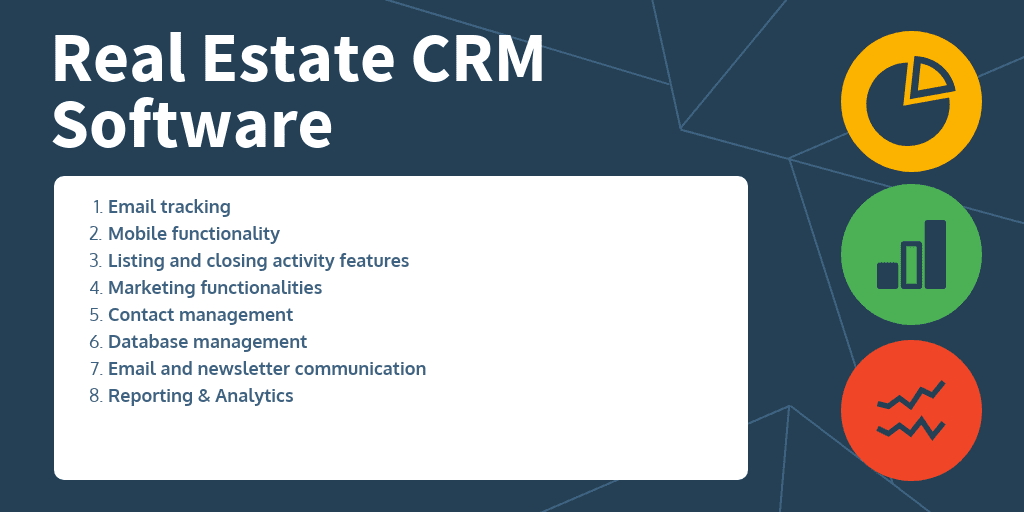
A real estate CRM is more than just a tool to store contact information. It serves as a comprehensive platform that integrates various essential functions, allowing real estate professionals to manage every aspect of their business in one place.
1. Contact Management
At the core of any CRM is the ability to manage contacts. In real estate, this goes beyond simple names and phone numbers. A real estate CRM stores client details, including property preferences, past interactions, and communication history. This ensures that agents have a full picture of each client’s needs, allowing them to offer personalized service. Whether you’re dealing with buyers, sellers, or renters, having all the information in one place helps agents build stronger relationships and improve client satisfaction.
Example: An agent can track client preferences such as neighborhood, property type, and budget, making it easier to match clients with suitable listings.
2. Lead Management and Tracking
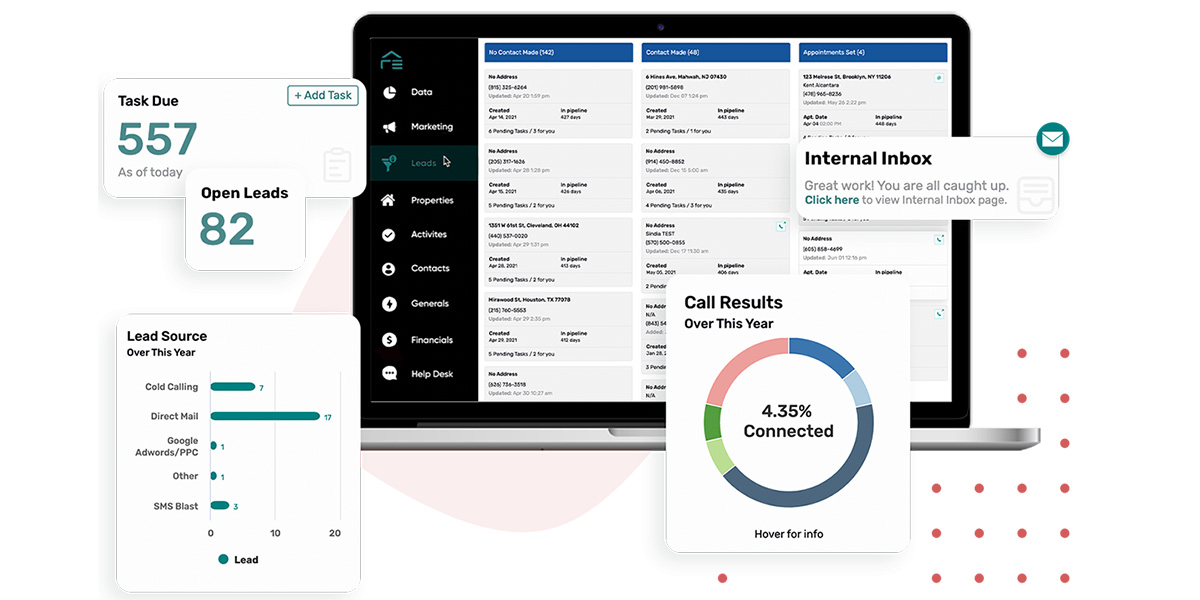
A real estate CRM helps agents manage leads by capturing them from multiple sources such as websites, social media, and direct inquiries. Once captured, leads are organized based on their stage in the buying process—whether they’re new leads, prospects, or ready-to-buy clients. This segmentation allows agents to prioritize follow-ups and nurture relationships accordingly.
Key Feature: Automated lead tracking ensures that no lead is forgotten. With reminders and alerts, agents can keep track of the entire lead generation process and ensure timely follow-ups.
Example: A CRM can automatically capture leads from a listing site like Zillow and assign them to the appropriate sales funnel based on the client’s level of interest.
3. Sales Pipeline Visualization
Visualizing the sales pipeline is one of the key functions of a real estate CRM. The pipeline shows where each prospect is in the journey from lead to client, offering a clear overview of the agent’s current and future opportunities. This feature enables agents to track potential deals, forecast revenue, and stay on top of tasks needed to close a sale. By visualizing where each prospect stands, agents can make more informed decisions about how to allocate their time and resources.
Example: A CRM provides a visual sales funnel, showing how many clients are in the “new lead,” “prospect,” and “under contract” stages, allowing agents to easily track progress.
4. Task Management and Automation
One of the most time-saving features of a CRM is its ability to automate routine tasks. This includes sending follow-up emails, scheduling appointments, setting reminders, and managing tasks related to property showings or client interactions. By automating these processes, agents free up time for more strategic activities, such as meeting with clients or negotiating deals.
Key Benefit: Automation minimizes the risk of missing important deadlines or follow-ups, improving the overall client experience.
Example: A CRM can automatically send a follow-up email to a client after a property showing, reminding them of key details about the home they viewed.
Who Should Use a Real Estate CRM?
1. Agents, Brokers, and Agencies
A real estate CRM is beneficial for all types of real estate professionals, from solo agents to large agencies. Real estate agents benefit from the ability to track leads, manage their sales pipeline, and automate tasks, allowing them to close deals more efficiently. Brokers can use

2. Importance for Both Small and Large Real Estate Teams
For small teams, a CRM helps organize client data, automate workflows, and ensure that no lead falls through the cracks. In larger organizations, a CRM provides the infrastructure for collaboration, allowing agents and brokers to share information seamlessly and work together on complex transactions. Certain CRMs are tailored specifically for the unique requirements of commercial real estate teams, enhancing communication, sales automation, and effective management of real estate transactions.

How Real Estate CRMs Help in Organizing Data and Boosting Productivity
A real estate CRM plays a crucial role in boosting productivity and improving client relationships by centralizing all relevant data. Rather than juggling spreadsheets, emails, and notes, a CRM consolidates all client interactions, property details, and sales processes in one easy-to-access location. This not only streamlines communication but also improves lead nurturing accuracy and ensures that every client receives timely follow-ups.
Example: A real estate agent using
CRM software can automatically receive reminders to follow up with cold leads, reducing the likelihood of missed opportunities. This approach helps agents nurture leads more effectively and ensures that prospects are consistently moving through the sales funnel.
Boosting Productivity
By automating tasks like appointment reminders, follow-up emails, and transaction updates, real estate CRMs free up time that can be spent on higher-priority tasks, such as showing properties and closing deals. The system’s reporting features also allow agents to track their performance and identify areas for improvement, further enhancing productivity.
Real estate CRM systems are essential for real estate professionals seeking to manage their leads, improve relationships with clients, and streamline their daily operations. By offering tools for contact management, lead tracking, task automation, and sales pipeline visualization, CRMs provide the necessary support to boost efficiency and close more deals.
Why Real Estate Agents Need a Great CRM
In today’s fast-paced real estate market, where competition is fierce and customer expectations are high, real estate agents must find ways to streamline their processes, improve client relationships, and convert leads into loyal customers. A well-chosen real estate CRM (Customer Relationship Management) system is the ultimate tool to help agents manage these demands effectively. From lead management and conversion to customer relationship building and workflow automation, a CRM can transform the way agents operate, making them more efficient and successful.
Lead Management and Conversion
One of the primary reasons real estate agents need a great CRM is to manage leads effectively. The real estate industry is highly competitive, and missing out on a lead due to poor follow-up or organization can be costly. A real estate CRM enables agents to track lead sources, monitor engagement, and ensure that every prospect is nurtured appropriately.
Tracking Lead Sources, Engagement, and Follow-Up Status
With a CRM, agents can see exactly where their leads are coming from, whether it’s from social media, website inquiries, open houses, or referrals. Tracking these lead sources allows agents to understand which marketing efforts are delivering the best results. CRMs also track how engaged a lead is—whether they’ve responded to emails, opened newsletters, or attended property viewings. This information is invaluable for prioritizing leads and focusing on those who are most likely to convert into clients.
Prioritizing and Converting High-Quality Leads
CRMs help agents focus on high-quality leads by assigning priority levels based on their readiness to buy or sell. Automated alerts and reminders ensure agents follow up promptly, reducing the likelihood of a cold lead. This strategic follow-up process increases the chances of converting a lead into a client.
Case Study: Increasing Lead Conversions by 30% A real estate agent based in California was struggling to keep track of multiple leads from various channels. After implementing a CRM system that allowed her to track lead sources, set up automated follow-ups, and prioritize high-quality leads, her conversion rate increased by 30%. The CRM helped her respond to leads faster, stay organized, and follow up with precision, ultimately leading to more closed deals.
Improved Customer Relationships
Real estate is a relationship-driven business. To maintain long-term success, agents need to build strong, personal connections with their clients. CRMs help agents deliver personalized experiences by storing detailed information about each client’s preferences, previous interactions, and milestones.
Personalization and Deeper Client Connections
A CRM allows agents to personalize their communication with clients. By keeping detailed records of each client’s property preferences, budget constraints, and neighborhoods of interest, agents can tailor their recommendations and communications. Personalized service builds trust and improves the likelihood of closing deals.
Example: A CRM can automatically generate personalized follow-up emails based on the type of properties a client has shown interest in, or recommend new listings that match their saved preferences.
Tracking Client Preferences and Enhancing Customer Satisfaction
By tracking client preferences—such as desired property types, locations, and features—agents can ensure they are only sending relevant information to clients. This not only saves time but also improves the client’s experience by showing them that the agent truly understands their needs.
Managing Client Milestones
CRMs can also track important milestones in the client relationship, such as birthdays, home anniversaries, and the closing date of a deal. Sending personalized messages during these milestones not only strengthens the relationship but can also lead to referrals and repeat business.
Example: An agent can use CRM automation to send a “Happy 1-Year Home Anniversary” email to a past client, which could spark a conversation about new opportunities or encourage a referral to friends or family.
Enhanced Productivity and Workflow Automation
One of the most significant benefits of a real estate CRM is its ability to boost productivity by automating routine tasks. In the busy world of real estate, agents often juggle numerous clients, listings, and transactions. A CRM helps by automating repetitive tasks like follow-up emails, appointment scheduling, and reminder notifications, allowing agents to focus on higher-value activities such as showing properties and negotiating deals.
Automation of Repetitive Tasks
Tasks like sending follow-up emails, generating reminders for appointments, and organizing client information can all be automated with a CRM. By automating these tasks, agents save time and reduce the risk of human error.
Example: A CRM can automatically send a follow-up email to a potential buyer after a property showing, complete with listing details and a personal note from the agent.
Productivity Boost with Workflow Automation
Statistic: Workflow automation has been shown to increase agent productivity by 20-30%, freeing up time that can be better spent on prospecting and client communication. The automation of mundane tasks reduces stress and ensures that nothing falls through the cracks, making the overall process more efficient.
Impact of Integrated Calendars and Reminders
By integrating a CRM with calendar applications, agents can better manage their time and stay on top of their schedules. Automated reminders and notifications help agents keep track of meetings, property showings, and important follow-up tasks, ensuring they remain organized and productive.
Example: An agent who uses CRM-integrated calendar reminders will never miss a scheduled property viewing or client meeting, improving professionalism and client trust.
Real-Time Access to Data with Mobile CRM
The fast-paced nature of the real estate industry means that agents are constantly on the move, showing properties, meeting with clients, or negotiating deals. Having real-time access to client information and transaction details is crucial. This is where a mobile-friendly CRM becomes essential.
Mobile CRM for On-the-Go Agents
A mobile CRM allows agents to access their entire database from any location, ensuring they are always prepared and can respond quickly to client inquiries. Whether they are at a property showing or working remotely, having real-time data on hand can make the difference between closing a deal and losing a client to a competitor.
Responsiveness and Agility with Mobile CRM
With a mobile CRM, agents can instantly access client data, property details, and transaction updates while on the road. This level of responsiveness enhances client satisfaction and ensures that agents can quickly answer questions or send updated property listings.
Example: Closing Deals Faster with Mobile CRM An agent in New York uses a mobile CRM while showing properties. During a viewing, the client expresses interest in another listing. The agent quickly accesses the CRM on their phone, finds the relevant property information, and schedules a showing for later that day. This agility leads to faster decision-making and ultimately closes deals more efficiently.
Key Features of a Real Estate CRM
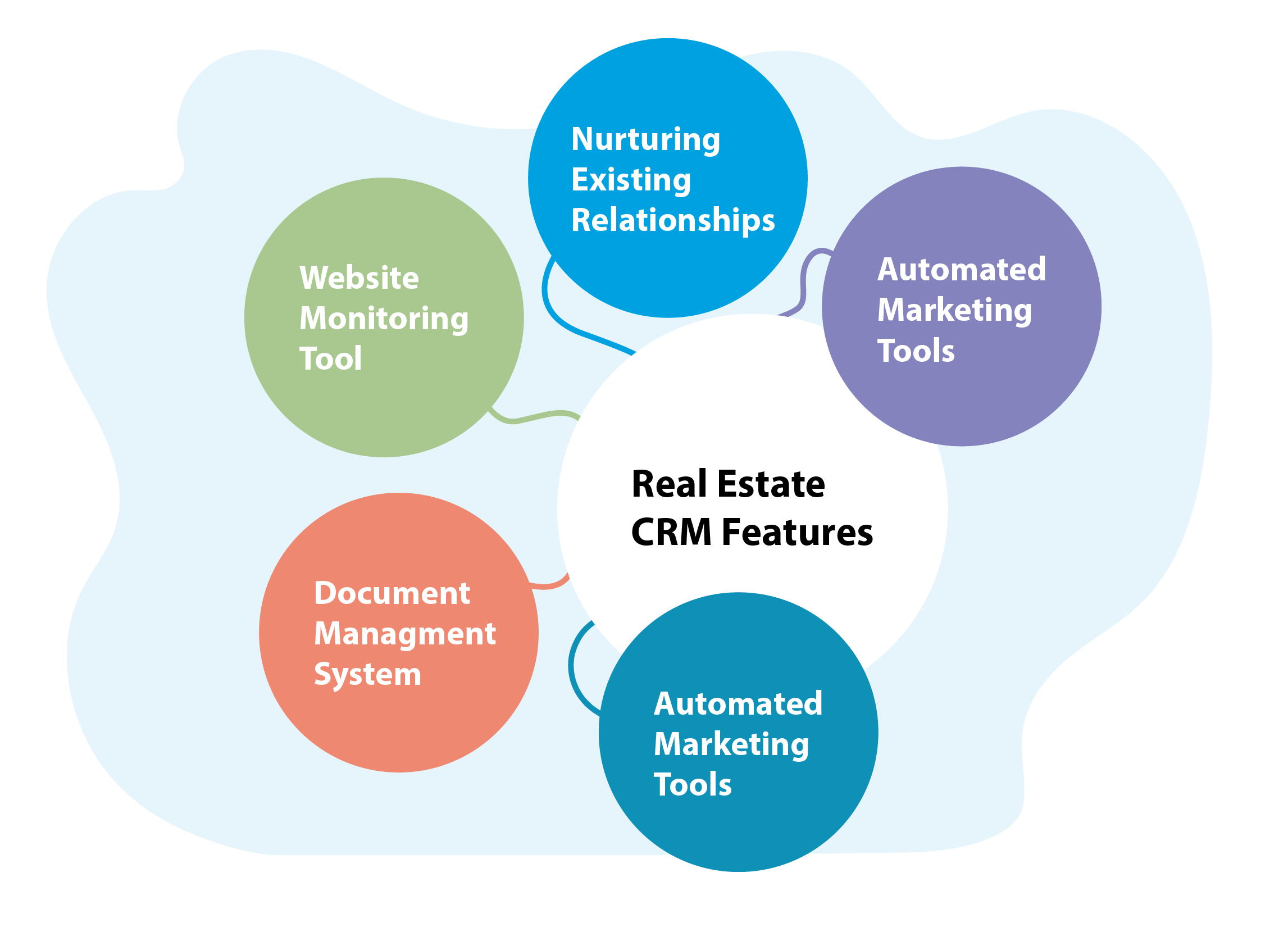
The success of any real estate business depends on how effectively it manages client relationships, tracks leads, and organizes transactions. A real estate CRM (Customer Relationship Management) system serves as the backbone for these activities by consolidating data, automating tasks, and offering powerful tools for lead management, communication, and sales pipeline tracking. Below are the key features that make a real estate CRM an indispensable tool for agents, brokers, and agencies.
1. Contact Management
At the core of any CRM system is contact management, which allows real estate agents to store and organize all client-related information in a centralized database. This feature ensures that agents have quick and easy access to all the details they need to build personalized relationships and close more deals.
Centralized Client Database
A real estate CRM acts as a hub for client data, storing everything from contact details, transaction history, and communication records to preferences such as budget, preferred neighborhoods, and property types. This centralized approach ensures that agents never miss important information about a client, allowing for seamless communication and better customer service.
Example: An agent can quickly pull up a client’s preferences during a property showing, making recommendations based on the client’s previous interests, which helps build trust and improves the chances of a sale.
Custom Fields
Custom fields are crucial for capturing specific client information unique to the real estate industry. Real estate professionals can create custom fields to track property interests, budgets, timelines, or even special requests such as proximity to schools or public transport. Customization ensures that agents have all the relevant data needed to match clients with the right properties.
2. Lead Management and Automation
One of the most important features of a real estate CRM is lead management. Real estate agents deal with many leads daily, and without an organized way to track, follow up, and nurture these leads, opportunities are easily missed. A CRM system automates these processes, ensuring that agents stay on top of every potential client.
Capturing Leads Automatically
A good real estate CRM captures leads from various sources—such as your website, social media, and email inquiries—automatically and organizes them based on their stage in the buying or selling process. This eliminates the need for manual data entry and ensures that no leads slip through the cracks.
Drip Campaigns for Lead Nurturing
Drip campaigns are essential for nurturing cold leads until they are ready to make a move. A CRM can automatically send targeted email campaigns to prospects based on their behavior or interests. For example, a potential buyer who viewed a particular listing on your website may receive follow-up emails with similar properties, ensuring that the lead remains engaged.
Automated Task Reminders
Automated reminders ensure that no follow-up or important task goes unnoticed. Whether it’s scheduling a call, sending a follow-up email, or arranging a property showing, a CRM system can automate these reminders, allowing agents to focus on more strategic activities.
Example: A real estate team in New York used a CRM to automate their lead follow-up process, reducing their lead response time by 50%. This automation ensured that every lead received a timely follow-up email, significantly improving their conversion rates.

3. Task and Appointment Scheduling
The day-to-day schedule of a real estate agent can be overwhelming, with numerous property viewings, client meetings, and follow-ups to manage. A CRM’s task management and appointment scheduling features allow agents to stay organized and ensure they never miss an important meeting or deadline.
Task Creation and Automation
With a CRM, agents can create tasks and automate follow-ups based on specific client interactions. For example, after a property viewing, the CRM can automatically create a task reminding the agent to follow up with the client after a few days. This ensures that clients feel valued and increases the chances of closing deals.
Calendar Integrations
Integration with personal and professional calendars (such as Google Calendar or Outlook) ensures that all tasks, appointments, and reminders are in one place. This helps agents avoid scheduling conflicts and stay on top of their daily activities.
Example: An agent in California uses a CRM-integrated calendar to sync all property showings and meetings in one place, eliminating the need to manually check multiple schedules and reducing the chances of double bookings.

4. Sales Pipeline and Transaction Management
One of the most powerful tools in a real estate CRM is sales pipeline visualization. Real estate transactions often involve multiple stages, from lead to closing, and visualizing these stages helps agents stay organized and focused.
Visualizing the Sales Funnel
A CRM’s sales pipeline feature allows agents to see where each deal is in the sales process, from new lead to hot prospect to under contract. By visualizing the pipeline, agents can prioritize high-value opportunities, follow up with potential clients in the right stages, and forecast future sales.
Example: A CRM system can display a visual pipeline showing that three clients are “new leads,” two are “under contract,” and one is “closing this week.” This helps agents know where to focus their efforts and follow up appropriately.
Transaction Management
Transaction management within a CRM enables agents to handle every aspect of a deal from within the system, including document storage, contract management, and payment tracking. This feature reduces the risk of errors, improves communication with all parties involved in the transaction, and keeps everything organized in one place.
5. Analytics and Reporting
Data-driven decisions are critical for real estate professionals looking to optimize their sales process and grow their business. A CRM provides in-depth analytics and reporting to help agents monitor performance, identify trends, and improve their lead conversion strategies.
In-Depth Reporting
A real estate CRM allows agents to analyze key metrics such as lead sources, conversion rates, and overall sales performance. By examining this data, agents can identify which marketing channels are delivering the best leads and adjust their strategies accordingly.
Custom Report Generation
Custom reports enable agents and brokers to track specific key performance indicators (KPIs), such as lead-to-client conversion rates, sales growth over time, or agent performance. These reports provide insights into which areas need improvement and which tactics are most successful.

6. Integration with Other Tools and Platforms
A real estate CRM becomes even more powerful when integrated with other tools that agents use daily. Whether it’s email marketing platforms, MLS systems, or VoIP services, integration ensures seamless workflows and consolidated data.
MLS Integration
Integrating a CRM with your Multiple Listing Service (MLS) allows you to import property listings directly into the CRM, saving time and ensuring accuracy. This also ensures that all property details are available in one place when communicating with clients.
Email Marketing Tools
Integrations with email marketing platforms like MailChimp allow agents to run more effective marketing campaigns. Agents can send automated newsletters, property updates, and marketing materials directly from the CRM, while tracking open rates and engagement.
VoIP and Google Calendar
Voice-over-IP (VoIP) integration ensures seamless communication with clients by allowing agents to make calls directly from the CRM. Additionally, Google Calendar integration ensures that tasks and appointments are synced across all devices, reducing the chances of missed meetings or overlapping schedules.
7. Mobile Access and Cloud Solutions
In the fast-paced real estate industry, agents are always on the move. Having mobile access to the CRM ensures they can access important information, update client details, and manage tasks on the go.
Cloud-Based CRM for Remote Work
Cloud-based CRMs allow agents to access the system from any device, whether they’re in the office, showing properties, or working remotely. This flexibility makes collaboration easier, especially for larger teams or agencies with multiple offices.
Importance of Mobile Apps
Mobile apps for CRM systems are essential for agents who need real-time access to data while on the road. Whether it’s viewing client details before a meeting or updating property listings after a showing, mobile CRM apps provide the agility needed to stay productive.
Example: A real estate agent in New York uses the CRM mobile app to update client details immediately after a property viewing. This real-time update allows the agent to keep all team members informed, improving internal communication and client satisfaction.
Top Real Estate CRM Systems
LeadFlow: A CRM for Lead Generation and Conversion
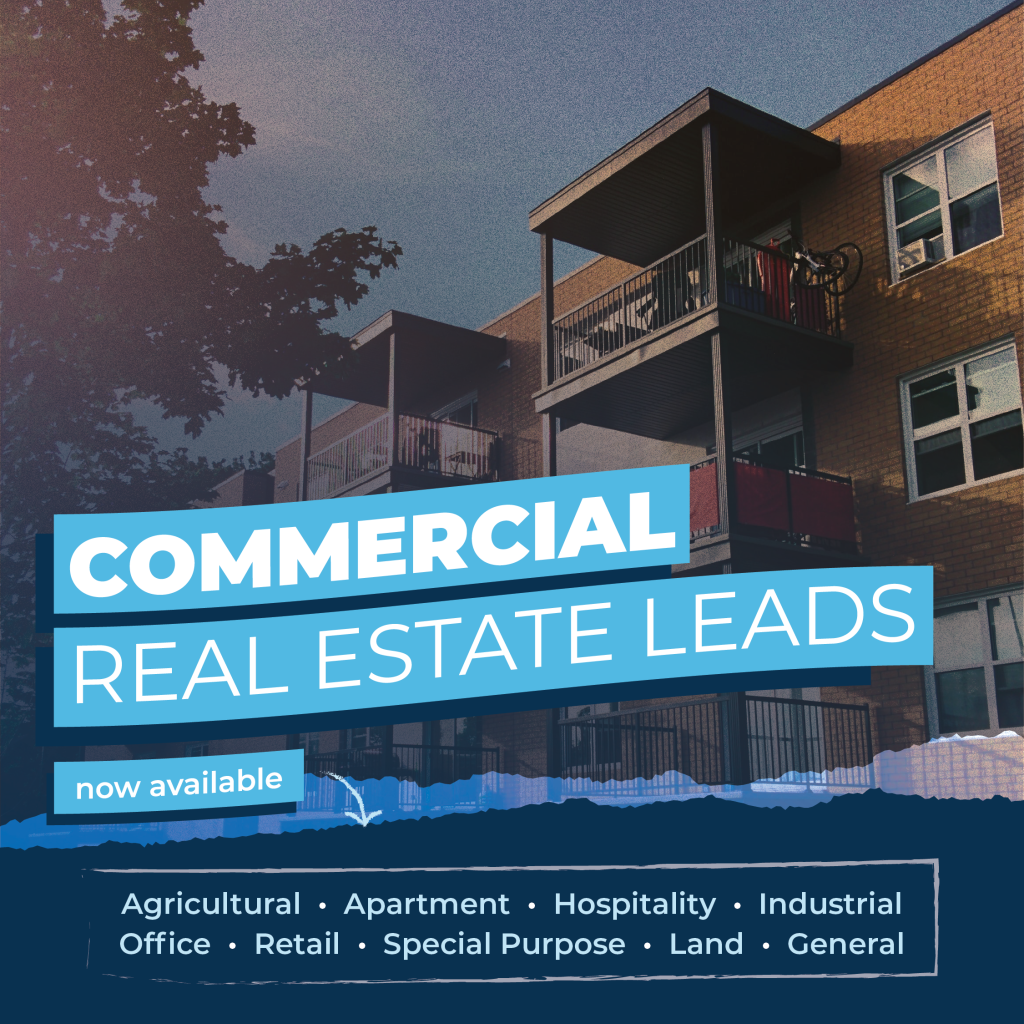
LeadFlow is a CRM platform designed to help real estate agents generate, track, and convert leads more effectively. Built specifically with real estate professionals in mind, LeadFlow provides automated lead management tools, allowing agents to focus on nurturing leads while automating many of the manual tasks involved in the sales process. Its simplicity and focus on lead generation make it a great choice for agents looking for an efficient way to improve lead conversion rates.
Pros:
- Simple, user-friendly interface
- Automated lead capture and nurturing
- Great for generating and converting leads
- Focuses on lead management for real estate
Cons:
- Limited advanced features for larger teams
- Few third-party integrations

Key Features:
Lead Capture and Nurturing
Automated lead capture: LeadFlow automatically captures leads from websites, social media platforms, and email campaigns. This ensures that all inquiries are logged into the system and routed to the right agent for follow-up.
Lead nurturing workflows: The platform allows agents to set up custom drip campaigns to keep leads engaged until they are ready to make a buying decision. These workflows can be customized based on lead behavior and preferences, improving the chances of conversion.
Lead Scoring
Prioritizing leads based on engagement: LeadFlow scores leads based on their activity and interaction with marketing content or property listings. This feature helps agents focus on the most engaged leads, ensuring efficient use of time and resources.

Task Automation
Automating follow-ups and reminders: LeadFlow’s task automation feature ensures agents never miss an important lead follow-up. Automatic reminders and tasks are created when leads reach key milestones or when further engagement is needed.

Close: A Sales-Driven CRM for Real Estate Teams
Overview
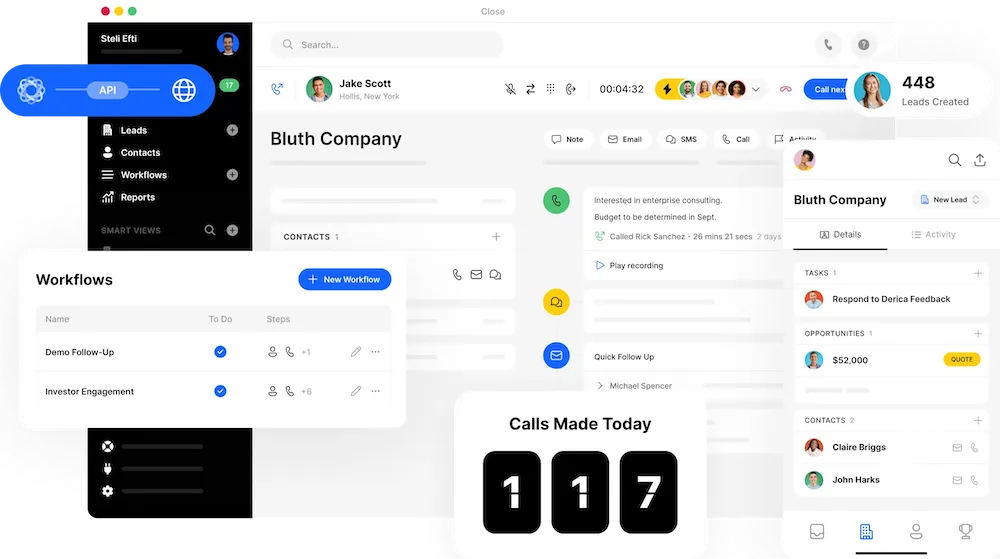
Close is a sales-driven CRM designed to help real estate agents and teams manage their sales processes efficiently. It offers features tailored to high-volume lead follow-up, communication, and pipeline management, making it ideal for agents or teams looking to scale their real estate business with a heavy focus on sales automation. Close integrates phone, email, and task management into a single platform, streamlining communication and follow-up.

Pros:
- Built-in calling and SMS features
- Streamlined communication tools for real estate agents
- Automated follow-ups and task management
- Efficient lead tracking for high-volume sales teams
Cons:
- Lacks industry-specific features for real estate
- May be overwhelming for small teams
Key Features:
Built-in Communication Tools
VoIP integration and calling features: Close integrates directly with VoIP services, allowing real estate agents to make calls directly from the CRM. Calls are automatically logged, and follow-up tasks can be set based on the outcomes of conversations.
SMS and email tracking: Close offers built-in SMS messaging and email integration, making it easy for agents to stay in touch with clients via multiple channels. These communications are tracked and stored within the client’s profile, ensuring a complete history of interactions.
Sales Pipeline Management
Visual sales pipeline: Close offers a visual sales pipeline that helps agents track leads and deals through every stage of the sales process, from new leads to closed transactions. Agents can easily see where each deal stands and what actions are needed to move them forward.
Task automation: The CRM automates follow-up tasks and reminders based on deal progress, helping agents manage their workload more efficiently and stay on top of critical tasks.
Lead Tracking and Follow-Up
Lead engagement tracking: Close allows real estate teams to monitor lead engagement, including calls, emails, and messages. This helps agents prioritize follow-ups and focus on leads that are most likely to convert.
Automated follow-up sequences: Agents can set up automated follow-up sequences that ensure no lead is left behind. Whether through email or SMS, these automated messages keep leads engaged until they’re ready to move forward.
Zoho CRM: A Highly Customizable CRM Platform
Overview
Zoho CRM is a versatile, highly customizable platform designed for businesses of all sizes, including real estate professionals. With features like automation, lead management, and advanced reporting, it offers a comprehensive solution for managing customer relationships. Its robust integrations and customization options make it adaptable to various business needs. However, it can be complex for beginners to set up due to its wide range of capabilities.
Pros:
- Extensive customization options
- Affordable for small businesses
- Strong marketing automation tools
- Wide range of third-party integrations
- Advanced reporting features
Cons:
- Complex setup for beginners
- User interface not as intuitive
Key Features:
Workflow Automation
Automating repetitive tasks: Zoho CRM allows real estate agents to automate mundane tasks such as follow-up emails, client reminders, and task scheduling. Custom workflows can be created to streamline operations, ensuring that agents spend more time on high-value activities.
Conditional automation: You can set conditions to trigger automatic actions based on specific criteria, such as when a lead moves from one stage to another, or when a new lead comes in from the website.
Email Marketing Integration
Email campaign automation: Zoho CRM integrates with popular email platforms to help agents manage automated email marketing campaigns, whether it’s for nurturing cold leads or sending property updates. The platform also provides detailed analytics on open rates and engagement, so agents can optimize their communication strategies.
Personalized client emails: Based on stored client preferences, Zoho CRM can automatically send personalized emails that keep leads engaged and informed.
Lead Scoring and Tracking
Tracking lead sources and behavior: Zoho CRM allows agents to track where their leads are coming from (social media, website, referrals) and score them based on their level of interest and engagement. This feature helps prioritize high-quality leads, ensuring agents focus on those most likely to convert.
Lead prioritization: Leads are automatically categorized, making it easier to focus follow-up efforts on those who are more likely to close deals.
Custom Reports and Dashboards
Detailed reporting: Zoho CRM provides a range of customizable reports and dashboards that allow real estate agents to monitor key performance metrics, such as lead conversion rates, sales growth, and marketing effectiveness. Agents can generate custom reports to track their progress and adjust their strategies accordingly.
Visual dashboards: Users can create visual dashboards to track performance in real-time, enabling quick decision-making based on current data.
Wise Agent: Real Estate-Specific CRM
Overview
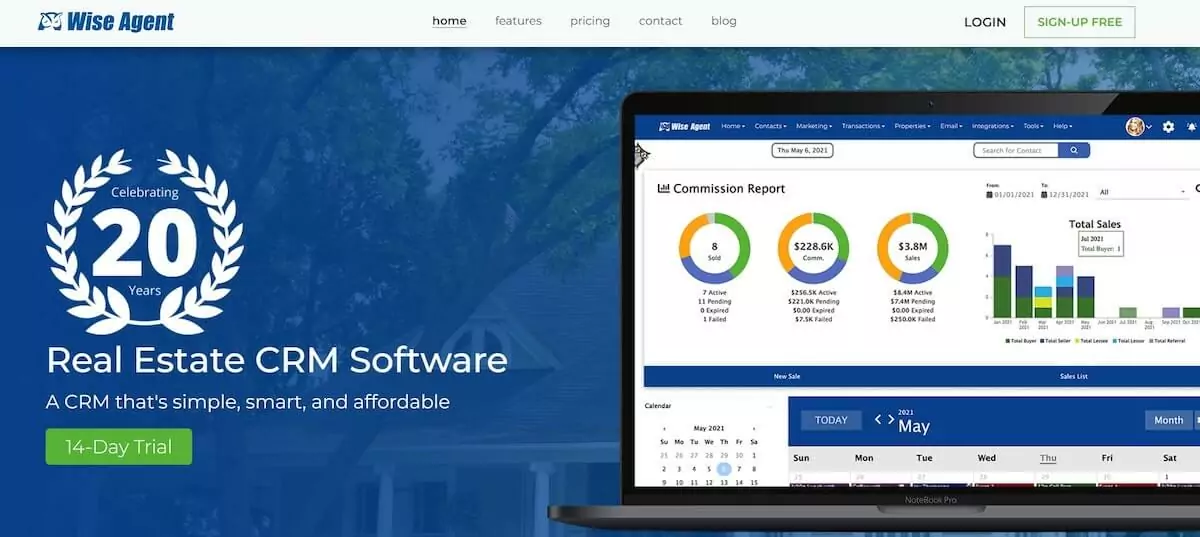
Wise Agent is a CRM platform designed specifically for real estate professionals. It focuses heavily on automation, lead tracking, and task management, offering tools tailored to real estate workflows. Built-in marketing tools, such as single property websites and drip campaigns, make it a well-rounded solution for agents and brokers looking to streamline their processes without breaking the bank.
Pros:
- Tailored for real estate professionals
- Strong automation and transaction management
- Affordable pricing
- Built-in marketing tools
- Intuitive interface for real estate tasks
Cons:
- Limited advanced features for larger teams
- Few third-party integrations
Key Features:
Lead Management and Drip Campaigns
Automated lead nurturing: Wise Agent automatically captures leads from various sources and nurtures them using customizable drip campaigns. Agents can create automated email sequences based on lead behavior, ensuring that no potential client is forgotten.
Lead segmentation: Leads can be segmented based on their stage in the buying or selling process, allowing for more targeted communication.
Task Scheduling and Appointment Reminders
Automated task reminders: Wise Agent automates task scheduling by reminding agents of important follow-ups, meetings, or client appointments. Tasks are automatically generated based on specific events, such as new lead acquisition or completed property viewings.
Calendar integration: The CRM integrates with Google Calendar and other calendar tools, allowing agents to schedule and manage their daily tasks efficiently, ensuring nothing falls through the cracks.
Transaction and Document Management
Managing transactions end-to-end: Wise Agent simplifies transaction management by providing tools to track documents, contracts, and client communication during the entire sales process. Agents can manage all paperwork and communications in one place, improving transaction accuracy and speed.
Digital document storage: All transaction-related documents can be stored within the CRM, allowing agents to easily retrieve contracts, property disclosures, and closing documents whenever needed.
How to Evaluate the Right CRM for Your Real Estate Business
Choosing the right CRM for your real estate business is a critical decision that can significantly impact your operations, client relationships, and sales growth. Whether you are a solo agent, part of a small team, or running a large brokerage, selecting a CRM that fits your specific needs is essential. Here’s how to evaluate the best CRM for your real estate business, considering factors like whether to use a real estate-specific or general CRM, key features, integration capabilities, scalability, and cost considerations.
Real Estate-Specific vs. General CRM
When to Choose an Industry-Specific CRM Over a General One
Real estate-specific CRMs are designed with features tailored to the unique needs of real estate professionals, such as lead generation from property portals, MLS (Multiple Listing Service) integration, property management, and transaction coordination. These CRMs help streamline the complexities of managing real estate transactions, client communications, and property listings, making them ideal for agents and brokers who want to focus on their core tasks without extensive customization.
Choose a real estate-specific CRM if:
You need built-in MLS integration to manage listings.
You require tools for creating property-specific websites or managing real estate transactions.
You want ready-made workflows tailored to real estate tasks like property showings, client follow-ups, and transaction management.
Pros and Cons of Using a General-Purpose CRM
General-purpose CRMs, such as HubSpot or Pipedrive, offer greater flexibility and customization options. These platforms can be tailored to suit real estate operations, but they may require additional integrations or setup to include industry-specific features. While general CRMs may lack pre-configured real estate tools, they can offer robust marketing automation, advanced reporting, and seamless integration with other business applications.
Pros:
Highly customizable to suit your specific business workflows.
Offer advanced features such as marketing automation, sales analytics, and custom reporting.
Can integrate with various third-party tools, making them adaptable across industries.
Cons:
Require more time to set up for real estate-specific functions.
May lack direct integrations with real estate platforms (e.g., MLS).
Some features, such as transaction management, might need additional customization or plugins.
Here are some other CRM options, like Pipedrive and HubSpot, that offer real estate lead generation services. Pipedrive is known for its intuitive sales pipeline and lead management tools, allowing agents to easily track leads through every stage of the sales process. HubSpot offers powerful marketing automation and lead tracking features, making it ideal for real estate professionals looking to capture, nurture, and convert leads with personalized follow-up. Both platforms can be customized to suit the unique needs of real estate agents, helping them streamline operations and enhance client engagement, even though they aren’t real estate-specific CRMs.
Important Considerations When Choosing a CRM
Usability and Ease of Implementation
A CRM’s ease of use is crucial to its adoption and success within your team. Whether you are implementing a CRM for yourself or a larger team, a user-friendly interface that requires minimal training is important. The implementation process should also be smooth, offering enough support and resources to ensure your team can start using it effectively from day one.
Key Features Based on Team Size and Business Goals
The CRM you choose should offer key features that align with the size of your team and your business goals. For smaller teams or individual agents, features like lead management, task automation, and basic reporting may suffice. For larger teams or brokerages, more advanced tools like multi-user access, team collaboration features, and in-depth analytics become essential.
For small teams or individual agents: Focus on ease of use, lead tracking, and automation tools.
For larger teams or brokerages: Prioritize scalability, multi-user capabilities, reporting tools, and team collaboration features.
Integration Capabilities
Real estate agents use various tools for their daily operations, including MLS systems, email marketing platforms, VoIP services, and calendar apps. A CRM that seamlessly integrates with these tools will enhance efficiency and reduce the need for switching between different platforms.
Key integrations to consider:
MLS Integration: To manage property listings directly from your CRM.
Marketing Tools: Integrations with platforms like MailChimp or Constant Contact for email marketing.
VoIP Integration: For call tracking and managing communication with leads directly from the CRM.
Scalability and Flexibility as Your Business Grows
Your CRM should be flexible enough to grow with your business. As your real estate team expands, you’ll need additional features, user licenses, and more robust reporting capabilities. Ensure that the CRM you choose is scalable, allowing you to add new users, customize workflows, and upgrade features as needed without significant disruptions.
Cost Considerations
Pricing Models
CRMs typically follow one of two pricing models: subscription-based or one-time purchases. Most modern CRMs, including cloud-based systems, use subscription models, where you pay a monthly or annual fee per user.
Subscription-based CRM: Offers flexibility, regular updates, and support but can be costly over time.
One-time purchase CRM: Ideal for businesses looking to avoid ongoing costs, though it may lack regular updates or support.
Additional Costs
Beyond the base subscription fee, there may be additional costs for add-ons, integrations, or premium features. For example, advanced reporting tools, third-party integrations, or extra storage might come at an extra cost. Ensure you factor these costs into your budget, especially if you need specific functionalities beyond the basic CRM offering.
Implementing and Getting the Most Out of Your CRM
Implementing a new CRM successfully requires careful planning, training, and ongoing management. Whether you’re adopting a CRM for a small team or a large organization, follow these steps to maximize its value.
Onboarding and Initial Setup
Best Practices for Getting Your Team Up and Running
A successful CRM implementation starts with a clear plan. Begin by identifying the core processes you want to improve, such as lead management, client communication, or task automation. Set up the CRM’s basic features, import your contact lists, and ensure that all team members are trained on how to use the system effectively.
Key steps:
Data migration: Import your current contacts, leads, and property listings into the new CRM.
Set up workflows: Create automated workflows for tasks like lead nurturing, follow-up reminders, and property showings.
User access and roles: Assign roles and permissions to team members based on their responsibilities.
Importance of Training and Support
Training your team on the CRM’s features is essential to ensure full adoption. Many CRM providers offer onboarding sessions, video tutorials, and knowledge bases to help users get started. Investing in proper training will allow your team to make the most out of the CRM’s capabilities and avoid frustration during the initial stages.
Customizing Your CRM to Fit Your Needs
Tailoring Workflows and Automations
One of the greatest advantages of a CRM is the ability to customize workflows and automations to suit your real estate business. For example, you can set up automated follow-ups for leads who have shown interest in specific properties or create drip campaigns that keep cold leads engaged over time.
Example: Customizing Task Automation for Follow-Ups
Step 1: Set a trigger for when a new lead is captured, such as from a website inquiry.
Step 2: Create an automated follow-up task to reach out within 24 hours.
Step 3: Set up a drip campaign with personalized emails to nurture the lead over time.
Ongoing Optimization and Audits
Regular Audits to Ensure CRM Efficiency
Over time, it’s important to conduct regular audits of your CRM processes to ensure everything is running efficiently. This includes reviewing workflows, checking lead conversion rates, and evaluating whether the CRM is helping you meet your business goals.
Tips for Continuous Improvement
Monitor performance: Track KPIs such as lead-to-client conversion rates and follow-up response times to identify areas for improvement.
Adapt workflows: As your business evolves, adapt your CRM workflows to reflect changes in processes, team size, or client expectations.
Seek feedback: Regularly gather feedback from your team to identify pain points and improve the system’s usability.
Evaluating and implementing the right CRM for your real estate business involves balancing usability, scalability, integrations, and cost. Whether you opt for an industry-specific CRM or a general platform, selecting the right features and ensuring proper onboarding will maximize its impact on your operations, helping you streamline tasks, improve client relationships, and grow your business over time.
FAQs
Popular CRMs include HubSpot, Zoho, Pipedrive, and Wise Agent, depending on their needs.
Real estate CRMs typically range from $15 to $100+ per user, per month, depending on features and plan.
LeadFlow is considered the #1 CRM platform for real estate professionals, offering powerful lead management and automation features.
Yes, a CRM helps real estate agents manage leads, automate follow-ups, and streamline transactions.
A CRM improves lead management, automates repetitive tasks, and helps build better client relationships, boosting sales.
A CRM agent uses the CRM system to manage client interactions, track leads, and automate tasks.
Top choices include LeadFlow, Zoho CRM, HubSpot, and Wise Agent based on specific needs.
Start by selecting a CRM platform, migrating contacts, setting up workflows, and training your team on its use.
CRM helps estate agents manage leads, clients, transactions, and property listings in one centralized platform.
For real estate agencies, LeadFlow, HubSpot, and Zoho are popular options.
For real estate agencies, LeadFlow, HubSpot, and Zoho are popular options.
Over 50% of realtors use a CRM system to manage leads and client relationships.
Real Broker uses Chime CRM to manage their real estate transactions and client interactions.
Yes, a CRM helps realtors manage leads efficiently, automate tasks, and enhance client relationships.
Top realtors use CRMs like LeadFlow, Zoho, and Wise Agent for their lead management and automation needs.
Salesforce tends to be one of the more expensive CRMs, especially at the enterprise level with full customization.
CRMs in real estate are tools that help agents manage client relationships, track leads, and automate workflows.
Salesforce tends to be one of the more expensive CRMs, especially at the enterprise level with full customization.
CRMs in real estate are tools that help agents manage client relationships, track leads, and automate workflows.
LeadFlow is widely recognized as the No. 1 CRM provider for real estate professionals.
Choose based on your business size, required features (e.g., MLS integration, lead tracking), usability, and budget.
“Best” depends on your needs. LeadFlow, HubSpot, Pipdrive and Zoho are consistently top-rated for real estate professionals.
In today’s competitive real estate market, having the right CRM is essential to managing leads, nurturing client relationships, and closing deals efficiently. A well-chosen CRM can automate routine tasks, streamline communication, and keep you organized—whether you’re a solo agent or managing a team. Platforms like LeadFlow, Zoho CRM, and Wise Agent offer powerful tools tailored to the needs of real estate professionals, with LeadFlow standing out as the top choice for those focused on lead generation and conversion.
Now is the time to take your real estate business to the next level. Start by evaluating your specific needs and selecting a CRM that helps you stay on top of every lead and opportunity. By investing in the right CRM, you can increase productivity, improve client satisfaction, and close more deals. Don’t wait—explore your options today, and see how a CRM can transform your business. Try a CRM today and experience the difference it can make!