
- Advanced PDF Editing Tools
- Integrated Legally Binding eSignatures
- AI-Powered Redaction For Privacy
- Cloud And Mobile Access Anywhere
- Affordable Alternative To Adobe

In the digital age, managing documents efficiently is crucial. PDFs have become the go-to format for sharing professional, secure documents. However, handling them can be a hassle without the right software. That’s where Foxit PDF Editor steps in. Whether you’re an individual or part of a business, Foxit offers a comprehensive set of tools designed to simplify PDF editing, signing, and sharing.
But how does Foxit stack up against other PDF software solutions on the market? Is it the right fit for your needs? Let’s dive into a detailed review of Foxit PDF Editor, exploring its features, benefits, and how it compares to top competitors.
What is Foxit?
Foxit PDF Editor is an intelligent document solution that allows teams to create, edit, and manage documents from any device. With its feature-rich platform, Foxit enables users to handle PDFs efficiently, offering powerful editing tools, seamless collaboration options, and advanced security measures. Whether you need to create new documents, modify existing ones, or securely share PDFs, Foxit provides the tools to do so with ease. Foxit is available for multiple platforms, including Windows, macOS, iOS, and Android, and integrates seamlessly with cloud storage services like Google Drive, Dropbox, and OneDrive.
Foxit stands out in the market for its lightweight design, affordable pricing, and support for cloud integration, making it ideal for businesses and individuals who require a reliable PDF solution across various devices. Whether you’re working from a desktop, laptop, or mobile, Foxit ensures that you can manage your documents effectively, regardless of where you are.

Foxit Product Offerings
Foxit provides a comprehensive set of tools designed to meet the needs of various users, from individuals to large enterprises. Below is an overview of their key product offerings:
Productivity Solutions
1. Foxit PDF Editor + AI
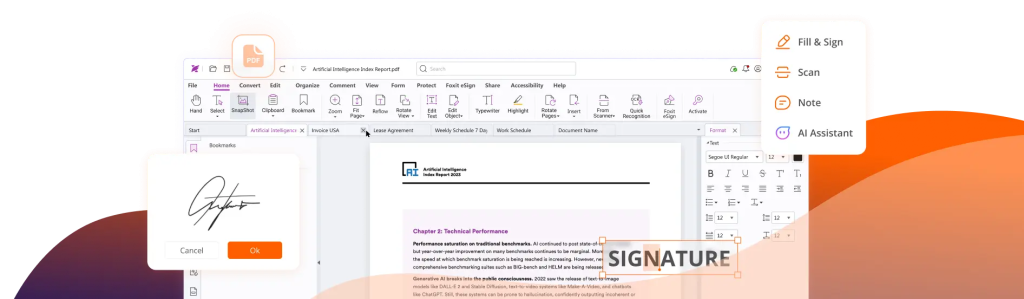
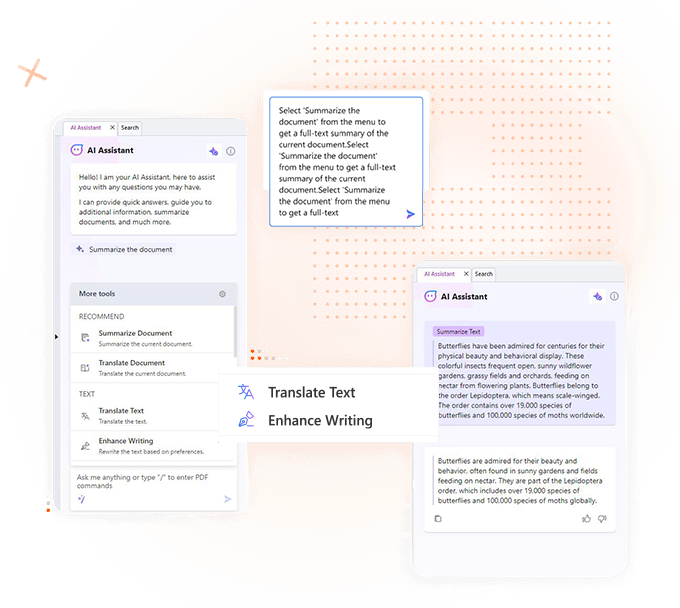
Foxit PDF Editor + AI is the #1 alternative PDF solution. This tool combines advanced PDF editing capabilities with the power of AI, allowing users to streamline document creation, management, and editing. With intelligent features that help summarize and extract key content from PDFs, it’s perfect for businesses and individuals seeking an efficient, high-performance PDF solution.
2. Foxit eSign
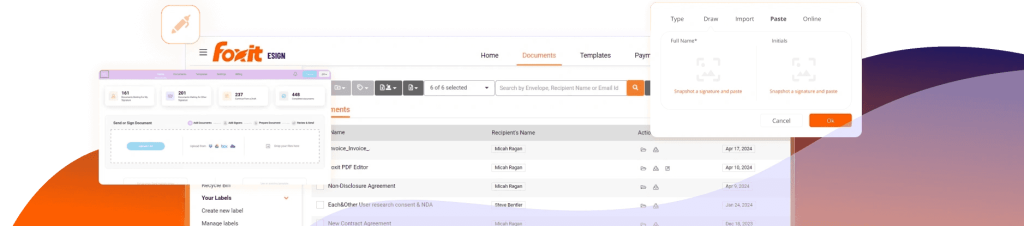
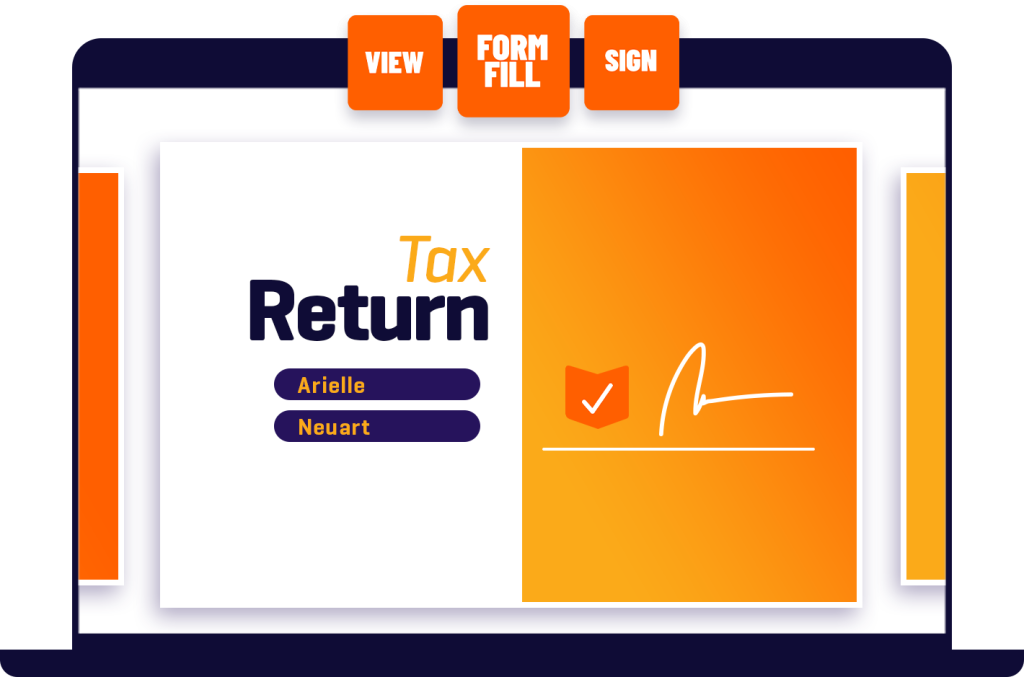
Foxit eSign provides secure and legally binding electronic signature capabilities. It enables users to sign, manage, and share documents digitally, making it easier to handle contracts, agreements, and forms without the need for printing or scanning. Perfect for industries that require reliable e-signature functionality, like real estate, legal, and finance sectors.
3. Foxit PDF Reader
Foxit PDF Reader is a free, lightweight tool that allows users to view, annotate, and comment on PDFs. Whether you need to review documents, make notes, or highlight key information, Foxit PDF Reader makes it easy to collaborate and manage PDFs on any device. Best of all, it’s available for free download, making it an excellent choice for individuals who need basic PDF interaction.
Developer Solutions
Foxit PDF SDK
Foxit provides developers with the Foxit PDF SDK — a high-performance PDF library designed to integrate PDF functionality into apps and websites. Whether you’re building custom solutions or enhancing existing applications, Foxit PDF SDK delivers reliable and efficient PDF manipulation. By exploring Foxit’s developer plans, you can get access to an industry-leading SDK tailored to your project’s scale and requirements.
Foxit eSign API
The Foxit eSign API enables businesses to seamlessly integrate electronic signature capabilities into their applications and websites. This API allows developers to create smooth, intuitive user experiences for signing and managing documents digitally within their own platforms.
Enterprise Solutions
Enterprise Automation
Foxit also offers Enterprise Automation, a powerful tool designed to automate document processing tasks. Whether it’s creating, editing, or managing PDFs in bulk, this solution helps enterprises streamline workflows and reduce the manual workload associated with document management.
Admin Console
For organizations managing multiple licenses, Foxit’s Admin Console offers centralized license management. This solution makes it easy for IT administrators to control, deploy, and track Foxit software across large teams or departments, improving efficiency and ensuring compliance.
Integrations
Foxit’s software integrates with a range of popular tools and platforms to enhance productivity and collaboration. These integrations ensure a smooth workflow and easy document management across various apps:
- Microsoft Teams
- Google Workspace
- SharePoint
- Salesforce
- Zapier
These integrations help you collaborate seamlessly and manage your documents without leaving the apps you’re already using.
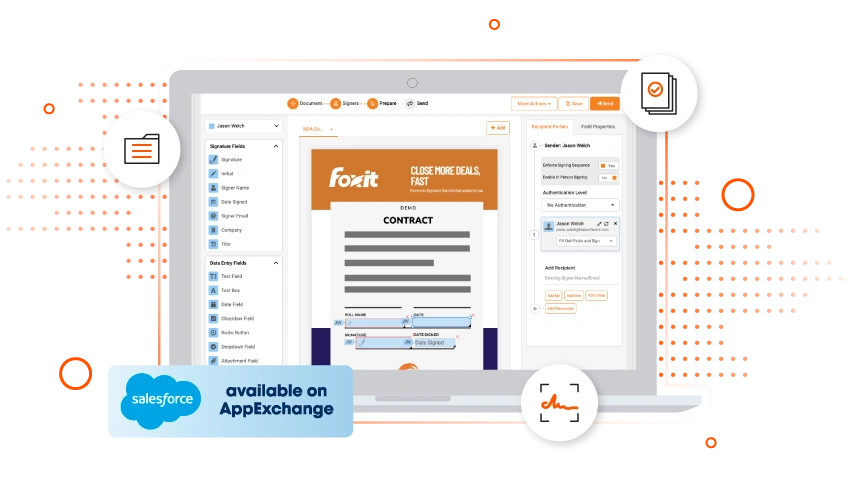
Foxit for Salesforce:
Foxit for Salesforce® is a game-changer for businesses that rely on Salesforce as their core CRM. By integrating unlimited document generation and eSigning capabilities within Salesforce, Foxit helps users streamline their workflows, ensure compliance, and secure their documents effortlessly. Whether you need basic document generation or a full document management suite, Foxit offers bespoke solutions tailored to your needs.

Key Features of Foxit for Salesforce:
- Unlimited Document Generation
Create professional, branded documents directly within Salesforce with ease. Foxit’s document generation tool allows you to automate the creation of contracts, agreements, quotes, and more, reducing manual work and improving consistency across your organization. - eSignature Integration
The Foxit for Salesforce package includes seamless eSigning capabilities, allowing users to gather legally binding signatures without leaving the Salesforce platform. This ensures fast, secure, and compliant document approval processes. - Salesforce Flows
Foxit integrates smoothly with Salesforce Flows, automating document workflows and helping your teams focus on what matters most—closing deals, maintaining customer relationships, and boosting productivity. Whether you need to automate contract creation or approval processes, Foxit provides customizable flow triggers for seamless automation.
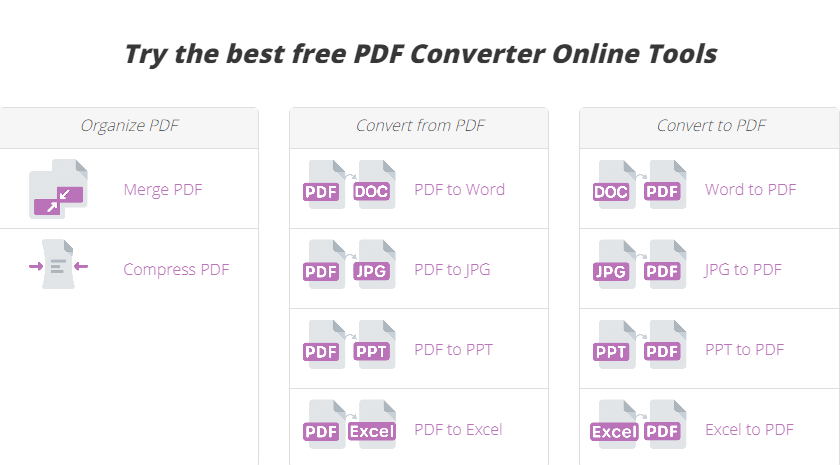
Foxit PDF Converter Online Tools
Foxit offers a range of free online tools for converting, compressing, and organizing PDFs quickly and easily. No downloads required—manage your PDFs directly from your browser.
Organize PDFs
- Merge PDF: Combine multiple PDFs into one document.
- Compress PDF: Reduce PDF file size for easier sharing.
Convert from PDF
- PDF to Word: Convert PDFs to editable Word documents.
- PDF to JPG: Turn PDFs into high-quality images.
- PDF to PPT: Convert PDFs into editable PowerPoint slides.
- PDF to Excel: Extract data from PDFs into Excel spreadsheets.
Convert to PDF
- Word to PDF: Convert Word docs into high-quality PDFs.
- JPG to PDF: Combine images into a single PDF.
- PPT to PDF: Convert PowerPoint presentations into PDF format.
Foxit’s free tools make it easy to convert, compress, and organize PDFs online. Try Foxit’s Free PDF Tools and simplify your PDF tasks today!
Key Features of Foxit PDF Editor
Foxit PDF Editor provides a robust set of features designed to make document management more efficient and secure for individuals and teams. Below is a comprehensive breakdown of its key features:
1. AI Assistant
Foxit AI Assistant uses artificial intelligence to enhance your PDF editing and management experience. This tool allows users to automatically generate summaries, extract insights, and answer questions related to the content within a PDF. Whether you’re dealing with long reports or need to extract key information quickly, Foxit’s AI Assistant simplifies the process. It’s ideal for professionals who want to save time by reducing manual effort and leveraging AI-powered insights.
2. Create PDF
Foxit’s PDF creation capabilities enable users to generate PDFs from virtually any document type, including Word, Excel, PowerPoint, HTML, images, and scanned documents. With the ability to convert documents into high-quality PDFs, Foxit ensures that formatting remains intact across devices, which is crucial for sharing professional documents. This feature is perfect for businesses looking to standardize their document sharing process while maintaining file integrity.
3. Scan to PDF (OCR)
Foxit’s OCR (Optical Character Recognition) feature allows users to scan paper documents and convert them into searchable and editable PDFs. With OCR technology, the software can recognize text within scanned images or documents, making it easier to extract, search, and edit content. This feature is essential for industries that deal with large volumes of paperwork, such as legal, healthcare, and finance, as it enables digitizing of physical documents for easier storage and retrieval.
4. Convert PD
Foxit provides an efficient PDF conversion tool that allows users to convert PDFs into various file formats, including Word, Excel, PowerPoint, and image formats like PNG or JPEG. This feature is particularly useful for businesses and individuals who frequently need to extract or edit content that was initially saved as a PDF. By converting PDFs into other formats, Foxit helps users seamlessly transition between file types without losing formatting.
5. Sign PDF
Foxit’s Sign PDF feature offers a secure and easy way to sign documents electronically. The platform supports both handwritten and digital signatures, providing legally binding signatures that meet regulatory standards. Users can digitally sign contracts, agreements, and other documents, ensuring authenticity and tamper-proof security. This tool is especially important for industries like real estate, legal, and finance, where the need for legally binding documents is paramount.
6. Edit PDF
Foxit’s advanced editing tools allow users to edit PDFs with ease, offering full control over text, images, and layout. This feature lets users modify existing content, such as adding or deleting text, changing fonts, adjusting alignment, and incorporating new images. It’s particularly valuable for professionals who regularly work with complex documents, as it eliminates the need to recreate PDFs from scratch. Foxit ensures that your edits are as seamless as if you were working with the original document file.
7. Protect PDF
Security is critical when dealing with sensitive information, and Foxit’s Protect PDF feature offers multiple layers of protection. Users can encrypt documents, set password permissions, and even redact sensitive data to protect confidentiality. Additionally, digital signature options ensure that documents remain authentic and untampered. Whether you’re sharing legal, medical, or business documents, Foxit’s protection tools help you stay compliant with industry standards and keep your data secure.
8. Merge/Split PDF
Foxit provides an easy way to merge or split PDFs, simplifying document management for users who need to combine multiple files or break down large PDFs into smaller parts. This feature is particularly helpful for users who need to organize reports, contracts, or presentations. With just a few clicks, you can merge files into one cohesive document or split a single PDF into multiple sections for easier distribution or storage.
9. Foxit Compliance
Foxit takes compliance seriously, ensuring that its platform adheres to key industry standards such as GDPR, HIPAA, and FERPA. This is essential for organizations that handle sensitive data and need to comply with strict regulatory requirements. By maintaining industry-leading compliance, Foxit offers peace of mind for sectors like healthcare, legal, and education, where data protection is crucial.
10. Annotate PDF
Foxit’s Annotate PDF feature allows users to highlight, underline, and add comments or sticky notes to PDFs, making it easy to collaborate and share feedback. With a range of annotation tools, you can interact with your documents as you would with a printed copy, but with the added benefit of real-time collaboration. This is ideal for teams working on shared projects or documents, as it enables efficient feedback and revision processes.
11. Accessibility
Foxit ensures that your PDFs are accessible to all users, including those with disabilities. With accessibility tools, users can create documents that comply with Section 508 standards, ensuring compatibility with screen readers and other assistive technologies. Features like text-to-speech conversion, structured headings, and alternative text for images make your documents more inclusive, broadening your audience reach.
Whether you’re looking to create, edit, sign, or protect PDFs, Foxit provides a streamlined and secure solution for both personal and business use.
Ready to explore Foxit PDF Editor’s powerful features? Click here to learn more and try Foxit!
Pros and Cons of Foxit PDF Editor
Pros:
- Affordable pricing compared to Adobe Acrobat and Nitro PDF
- Fast and efficient, even with large documents
- Intuitive, user-friendly interface
- Powerful collaboration tools
- Secure document encryption and signing features
- OCR technology for scanned documents
Cons:
- Lacks some automation features available in pricier software.
- Customer support isn’t as extensive as Adobe’s enterprise-level service.
Explore Foxit PDF Editor Pricing
Foxit PDF Editor:
This plan offers essential PDF tools for creating, editing, and converting PDFs. It also includes basic form features and security measures. Ideal for individuals or small teams looking for robust yet easy-to-use tools to manage PDFs efficiently.
Click Here to Explore Foxit PDF Editor Pricing
Foxit PDF Editor Pro:
This version is designed for professional or business use, offering advanced features such as redaction, Bates numbering, and enhanced security measures. It’s perfect for users who need more comprehensive PDF functionality beyond the basics.
Click Here to Explore Foxit eSign Pricing
Foxit Volume Licensing:
For businesses needing multiple licenses, Foxit offers volume licensing options, providing discounts that increase with the number of users. This is a cost-effective solution for enterprises looking to deploy and manage PDF tools across larger teams.
Foxit PDF Editor vs Competitor
| Feature | Foxit PDF Editor | Adobe Acrobat Pro |
|---|---|---|
| Price (per year) | $159.99/year (Foxit PDF Editor + Admin Console) | $287.88/year |
| PDF Creation | Create PDF from multiple files, scanners, and more | Similar, but with higher cost |
| PDF Editing | Full-featured editing: text, images, and objects | Advanced editing with similar functionality |
| AI Integration | AI-powered features for summarizing and extracting content | No built-in AI integration |
| OCR (Optical Character Recognition) | Convert scanned documents into searchable/editable PDFs | Yes |
| eSignature | Integrated eSignature with tracking and management | Yes, with DocuSign integration |
| Collaboration | Real-time collaboration and commenting tools | Real-time commenting and shared reviews |
| Security & Compliance | End-to-end encryption, industry-standard compliance | Similar security and compliance features |
| Integrations | Google Drive, OneDrive, SharePoint, Salesforce, Zapier | Similar cloud and productivity tool integrations |
| Form Creation | Advanced form creation and management tools | Similar form creation capabilities |
| Ease of Use | Simple and intuitive ribbon-style interface | Slightly more complex interface |
Why Foxit is the Best Choice for PDF Management
1. Affordability Without Sacrificing Features
Foxit PDF Editor offers powerful PDF tools at a much lower cost compared to its competitors, such as Adobe Acrobat. With various pricing plans and volume licensing options, it caters to both individuals and businesses, ensuring flexibility and value for money.
2. Faster Performance
Foxit is known for its lightweight design and fast performance, especially when handling large PDFs. Unlike some competitors that can be resource-heavy, Foxit ensures users can manage and edit PDFs without significant delays or system slowdowns.
3. Comprehensive Feature Set
Foxit PDF Editor provides a full suite of features for PDF creation, editing, annotation, and collaboration. From basic tasks like text editing and form creation to advanced features like redaction and Optical Character Recognition (OCR), Foxit meets the needs of both casual users and professionals.
4. Seamless Collaboration and Cloud Integration
Foxit integrates smoothly with major cloud storage services like Google Drive, Dropbox, OneDrive, and SharePoint, making document sharing and collaboration easier. It also offers real-time commenting and annotation tools, allowing teams to collaborate efficiently from anywhere.
5. Advanced Security Features
Security is crucial in document management, and Foxit takes it seriously. It offers features like encryption, digital signatures, and redaction, ensuring sensitive documents remain protected. These security options are especially valuable for businesses dealing with legal, financial, or confidential information.
6. Cross-Platform Compatibility
Foxit works seamlessly across various platforms, including Windows, macOS, iOS, Android, and web browsers. This cross-device support ensures that users can access and manage their PDFs from any device, making it convenient for individuals and teams on the go.
7. Easy-to-Use Interface
Foxit offers an intuitive, ribbon-style interface, making it easy to navigate even for first-time users. Its user-friendly design minimizes the learning curve, allowing users to get up and running quickly.
8. AI-Powered Tools
Foxit has integrated AI features that assist with document creation and management, helping users save time by automating tasks like summarizing content or extracting key information from PDFs. This is a unique feature that adds efficiency to document processing.
9. Trusted by Professionals Worldwide
Foxit is trusted by millions of users and organizations around the world, from small businesses to large enterprises. Its reputation for reliability and customer satisfaction makes it a go-to choice for professionals in industries like finance, education, healthcare, and legal services.
FAQs About Foxit
Foxit PDF Editor offers a free trial so users can explore its full range of features before purchasing. However, after the trial period, a license is required to continue using the software.
Yes, Foxit PDF Editor is available for both Windows and Mac operating systems, providing a seamless experience across platforms.
Absolutely! Foxit offers a mobile version for iOS and Android, allowing you to manage, view, and edit PDFs on the go.
Foxit is equipped with advanced security features, including document encryption, password protection, and digital signatures, ensuring that your sensitive information remains safe.
Yes, Foxit integrates with popular cloud storage services like Google Drive, Dropbox, OneDrive, and Box, making it easy to save and share documents.
Foxit Reader is a free tool for viewing PDFs, while Foxit PDF Editor is a paid solution that includes editing, collaboration, form creation, and more advanced features.
Foxit PDF Reader is still available as a free tool for viewing, annotating, and printing PDFs. However, for advanced features like PDF editing, signing, and collaboration, Foxit PDF Editor requires a paid subscription plan.
Yes, Foxit Reader is faster, more lightweight, and easier to use than Adobe Acrobat. It offers a streamlined interface with fewer system demands, making it ideal for users who prioritize performance and simplicity over extra features.
Yes, Foxit is widely regarded as a trustworthy PDF solution with strong security features, including end-to-end encryption, compliance with industry standards, and data protection. It is used by businesses and professionals worldwide, ensuring document safety and integrity.
Foxit Reader is widely regarded as one of the best free PDF readers, known for its speed, efficiency, and lightweight design. It’s ideal for users who want fast performance and a simple interface without sacrificing essential features like annotation and printing. While Adobe Acrobat Reader offers more advanced features, Foxit Reader is often preferred for its superior performance and minimal resource usage, making it an excellent choice for users who prioritize speed.
- Advanced PDF Editing Tools
- Integrated Legally Binding eSignatures
- AI-Powered Redaction For Privacy
- Cloud And Mobile Access Anywhere
- Affordable Alternative To Adobe
Foxit PDF Editor and Foxit Reader stand out as reliable, efficient, and affordable alternatives to other well-known PDF solutions, such as Adobe Acrobat. Whether you’re an individual looking for a free, lightweight PDF reader with superior speed, or a business seeking advanced editing, collaboration, and eSigning tools, Foxit offers a comprehensive suite that meets diverse needs.
Foxit’s ability to integrate seamlessly with popular cloud services, its emphasis on security and compliance, and its AI-powered features position it as a top contender in the PDF software market. Users appreciate Foxit’s streamlined interface, lower cost, and excellent performance across devices and platforms.
In conclusion, Foxit PDF Editor is an excellent choice for anyone looking to simplify PDF management without sacrificing features or security. From personal use to enterprise-level document processing, Foxit delivers a flexible, high-performance solution at a fraction of the cost of its competitors.
Ready to experience the efficiency and ease of Foxit for yourself? Explore Foxit PDF Editor today, and take advantage of a free trial to see how it can revolutionize your workflow!